
Debt Payoff Tracker for Google Sheets & Excel
See your total debt, log payments, and watch your balances drop month by month with clear visual progress. Track credit cards, loans, and any other debt.
$9.99
Get this template on EtsyWhat's included
- Track multiple debts in one place
- Visual progress bars for each balance
- Monthly payment logging with running totals
- Total debt overview dashboard
- Interest tracking across all accounts
- Works with Google Sheets and Microsoft Excel
How it works
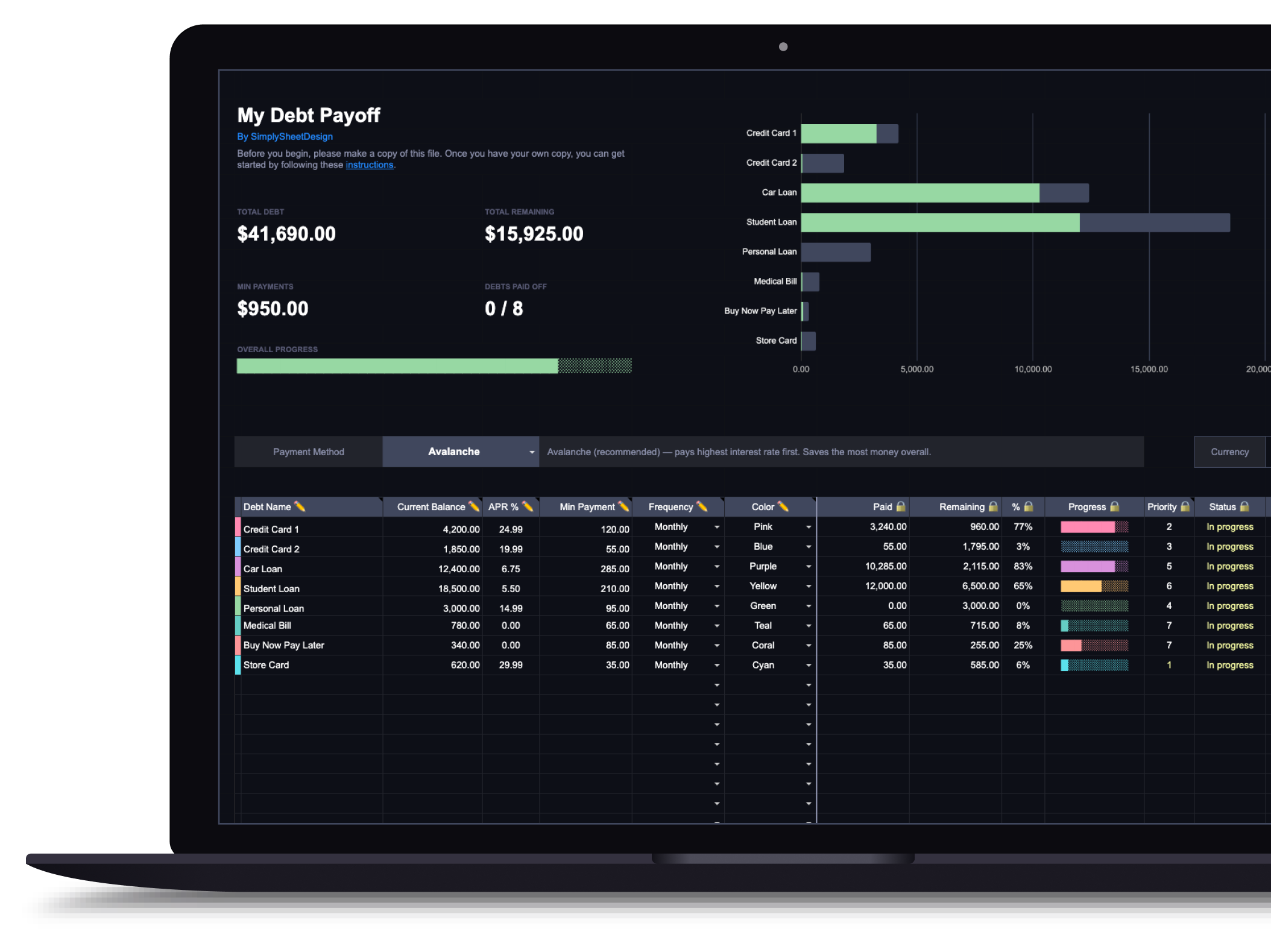
The spreadsheet has three tabs: Dashboard, Payment Log, and a hidden Data tab for color settings. On the Dashboard, each row represents one debt. Enter the debt name, current balance, APR, minimum payment, payment frequency (monthly, biweekly, weekly, or annually), and pick a color.
Avalanche vs. snowball
A dropdown at the top lets you switch between two payoff strategies. Avalanche ranks debts by highest interest rate first, which saves the most money over time. Snowball ranks by smallest balance first, which builds momentum with quick wins. The priority column updates automatically when you switch. Not sure which strategy is right for you? Read our guide to snowball vs. avalanche methods or try the debt snowball vs. avalanche calculator to compare payoff timelines side by side.
Tracking payments
Every payment goes in the Payment Log tab: date, which debt, amount, and an optional note. Once saved, the Dashboard updates automatically: paid total, remaining balance, percentage complete, progress bar, and status all recalculate.
What the Dashboard shows
Each debt gets a visual progress bar, a payoff percentage, a priority ranking, and a status (in progress or paid off). The estimated payoff column shows how many periods remain based on your current balance, APR, and payment amount.
Available in dark and light themes
Both themes are functionally identical. Use the toggle above to switch between them.
Who this debt payoff tracker is for
This spreadsheet is built for people carrying more than one balance. If you have a single credit card and a clear plan for it, a note on your phone will do the job. The tracker starts earning its place once you are juggling a couple of cards, a car loan, and maybe a student loan, and you have lost track of which one to attack next or how far you have actually come.
It assumes you already know roughly what you owe. If you do not, that is the first job and it is a separate one. Pull every statement, write down the balance and rate for each account, and start filling in rows only once that list is complete. Guessing at balances produces a tracker that looks precise and is quietly wrong.
What you need before you start
Each row on the Dashboard is one debt, and each row needs five things: the name, the current balance, the APR, the minimum payment, and how often you pay.
The APR is the one people skip, because it reads like a detail you can fill in later. It is not. Your interest rate decides the payoff order under the avalanche method, and it is what makes the estimated payoff column mean anything at all. A tracker with balances but no rates can tell you where you are standing, never where you are heading.
Take balances from your latest statement rather than your banking app, which often shows pending charges that have not settled yet. Being a few days stale is fine. Being wrong by a pending transaction is not, because you will chase the difference every month.
Using it in Google Sheets or Excel
The same file works in both, and the two versions are functionally identical. Which one to use is mostly a question of where you will actually open it.
Google Sheets syncs across devices without you thinking about it, which matters more than it sounds. A debt tracker only works if you update it, and the version you can open on your phone while standing at the counter is the version that stays current. Excel is the better choice if you already live in it, or if you want the file stored locally rather than in a Google account.
Whichever you pick, make your own copy before entering anything. Working directly in the original means there is nothing to fall back on when a formula gets overwritten.
Choosing your payoff order
Once your debts are in, the Dashboard dropdown ranks them one of two ways. Avalanche puts the highest interest rate first, which costs you the least money overall. Snowball puts the smallest balance first, which clears individual accounts faster and gives you something visible to show for the effort.
Avalanche wins on arithmetic every time. Snowball wins often enough on follow-through that it is worth taking seriously, because a mathematically optimal plan you abandon in April beats nothing and loses to a slightly worse plan you finish. If you want to see the actual gap between them for your own numbers, the debt snowball vs. avalanche calculator runs both and shows the difference in months and dollars, and the full comparison of the two methods covers when each one tends to suit people.
Working out when you will be debt free
The estimated payoff column projects each debt forward from its balance, rate, and payment, so the longest one is your realistic debt free date. Two things move it: paying more than the minimum, and not adding new balances while you go.
That second one is where most plans quietly come apart. Paying down a card and then spending back onto it produces months of effort and a flat line, which is dispiriting in a way that has nothing to do with the math. If your balances are not falling despite steady payments, the problem is usually upstream of the tracker, and working out where your money is actually going will do more than any change to the payoff order.
For a projection separate from the tracker, the debt free date calculator shows how much a larger monthly payment pulls the date forward.
Keeping the tracker current
Log payments as they happen in the Payment Log tab rather than reconstructing a month at the end. Date, which debt, amount, optional note. The Dashboard recalculates from there, so the progress bars and percentages are only ever as honest as the log behind them.
Once a month is enough for a real look. Check that balances match your statements, note what moved, and leave it alone the rest of the time. A tracker you open daily becomes a source of anxiety rather than information, and the numbers do not change fast enough to reward the attention.
Most people run this alongside a monthly budget, since the tracker tells you what you owe and a budget spreadsheet is what frees up the money to pay it. If the bulk of your debt sits on revolving credit, the credit card tracker covers utilization and due dates in a way built specifically for cards. And if you are still deciding how aggressively to attack this at all, how to pay off debt walks through the choice between clearing balances and building a cushion first.
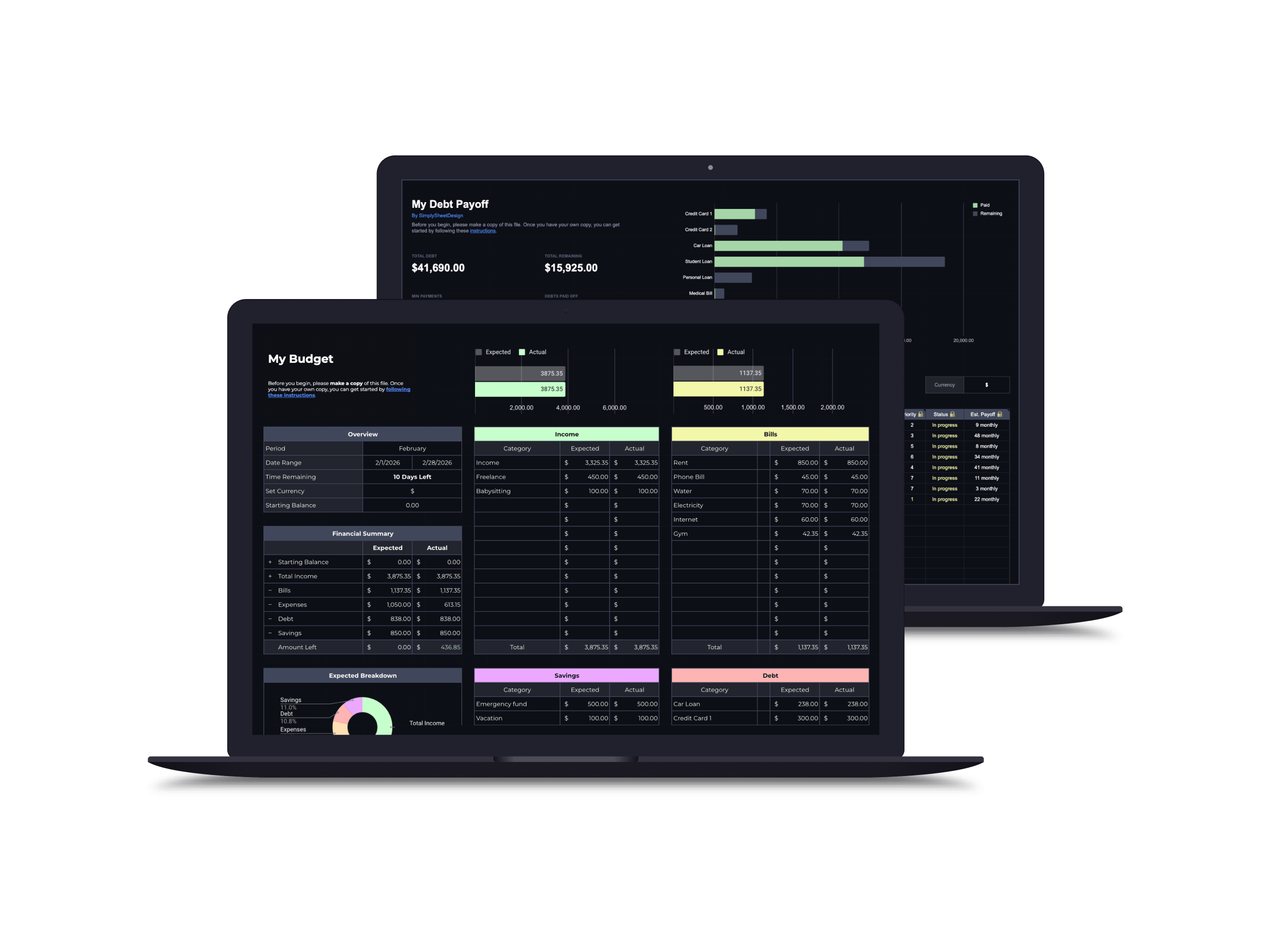
Save with a bundle
Frequently asked questions
Can I track different types of debt?
Yes: credit cards, student loans, car payments, personal loans, medical debt. Any balance with a payment schedule works.
Does it calculate interest?
The tracker logs interest charges as part of your payment history so you can see exactly how much goes to principal vs. interest over time.
How many debts can I track?
The template supports 30+ individual debts, more than enough for most people to track every credit card, loan, and balance in one place.
More spreadsheets
Budget Spreadsheet
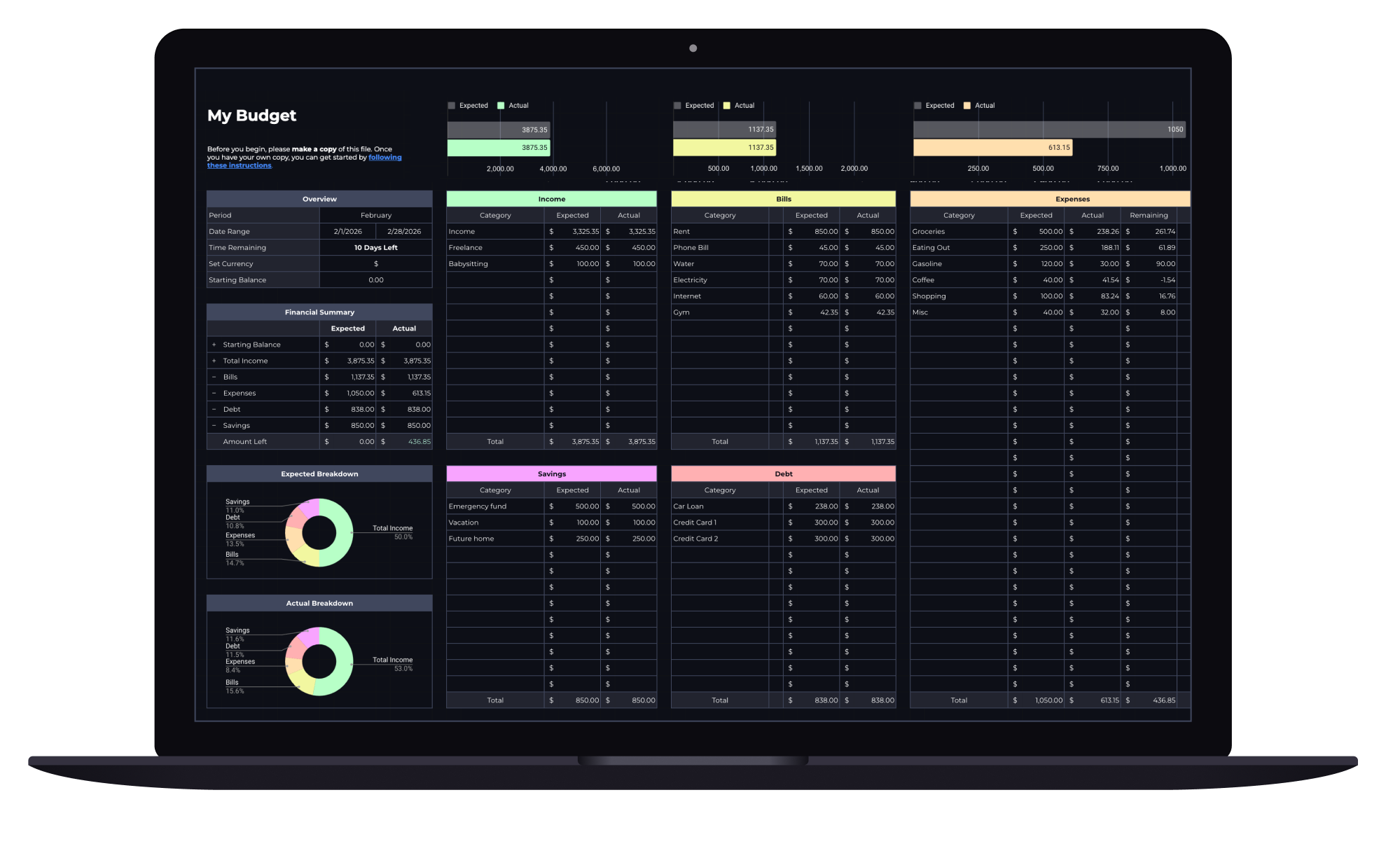
Track your income and daily expenses with real-time progress indicators that show exactly where you stand each month. Works with Google Sheets and Microsoft Excel.
Couples Budget Spreadsheet
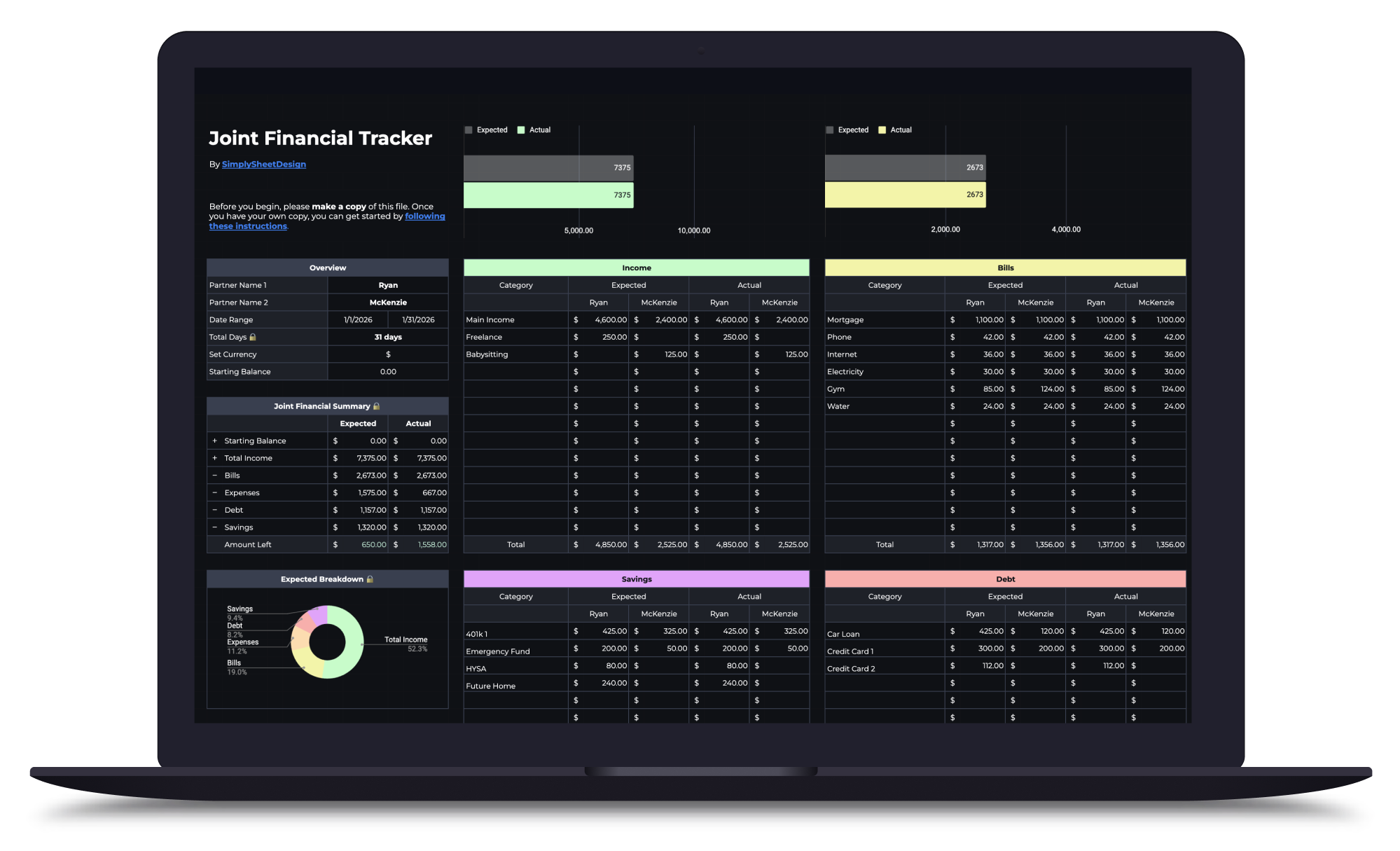
Split bills, track shared and personal expenses, and manage savings together. Built for two incomes, one shared financial picture.
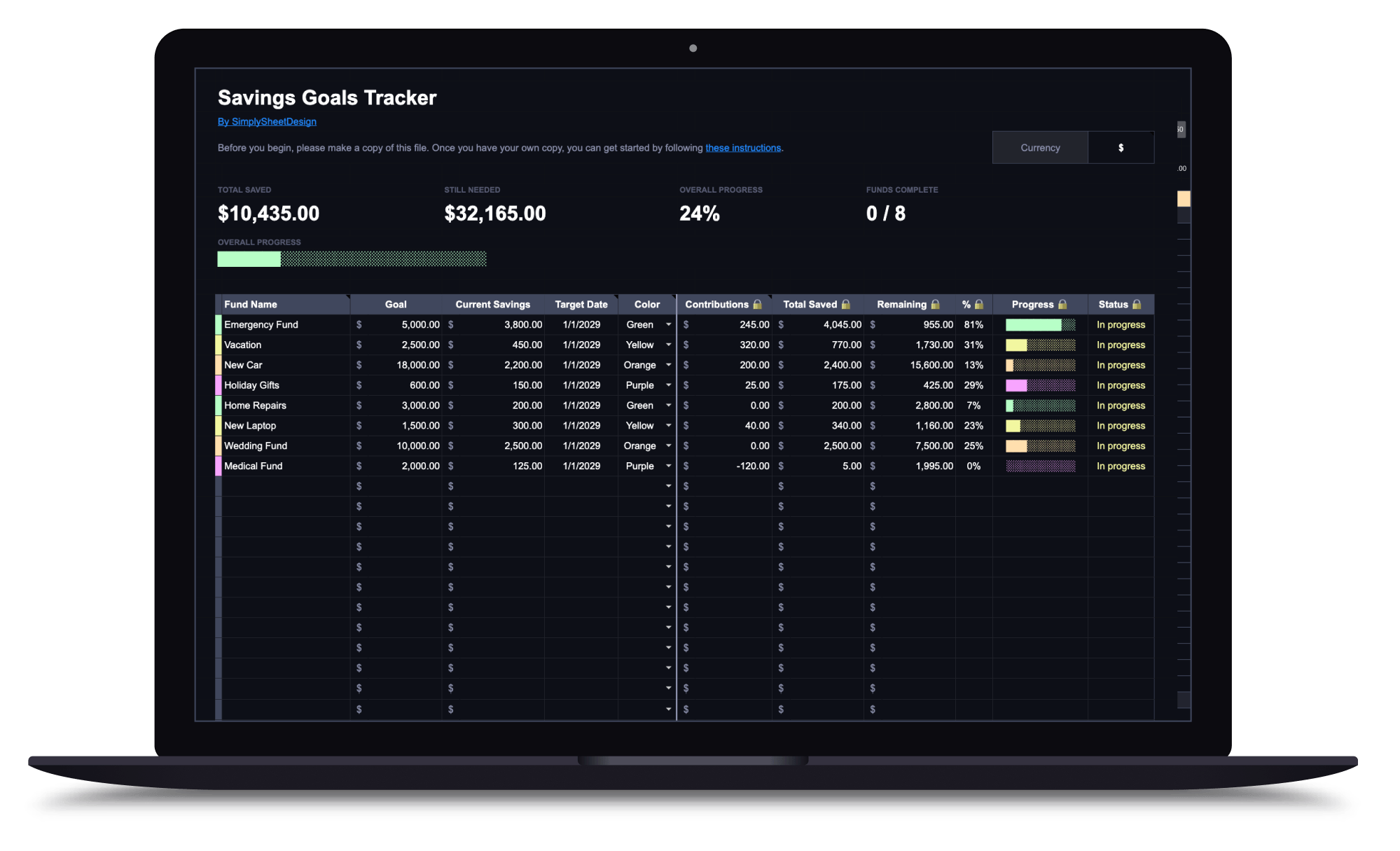
Savings Goals Tracker
Set multiple savings goals, track contributions, and watch your progress toward each one. Perfect for emergency funds, sinking funds, and any savings target.