
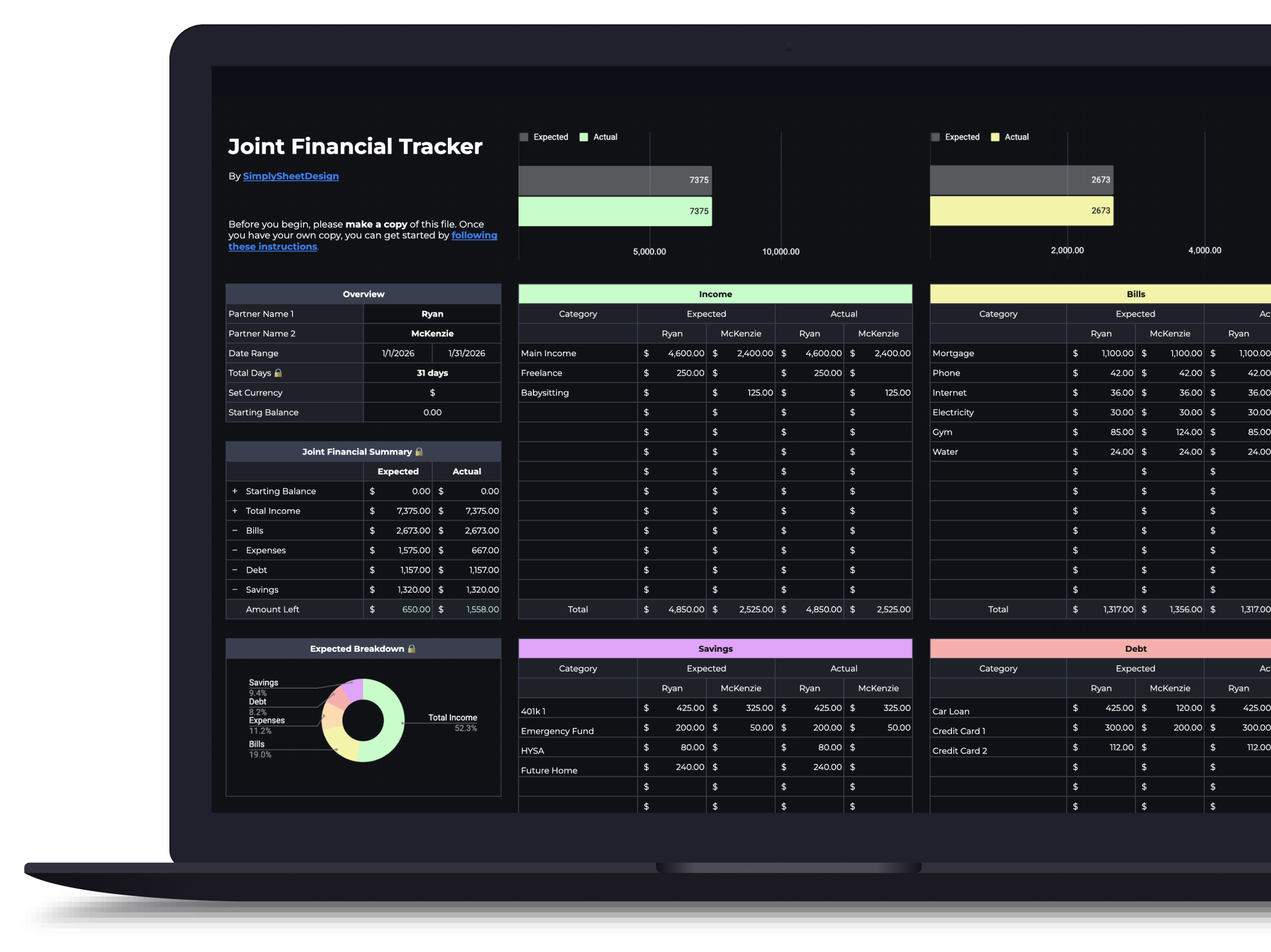
Couples Budget Spreadsheet for Sheets & Excel
Split bills, track shared and personal expenses, and manage savings together. Built for two incomes, one shared financial picture.
$16.99
Get this template on EtsyWhat's included
- Dual income tracking for both partners
- Shared and personal expense categories
- Bill splitting with flexible ratios
- Combined savings goal tracking
- Visual dashboard for joint finances
- Works with Google Sheets and Microsoft Excel
How it works
Enter both partner names in the overview section, and they'll populate dynamically throughout the sheet. Set your budget period, date range, and currency, then add categories across five sections: Income, Bills, Expenses, Debt, and Savings. Each category gets an expected amount for what you plan to spend or receive.
The expense tracker
The expense tracker at the bottom of the sheet works the same as the solo version, with one addition: a Partner field. For each expense, select which partner made the purchase or mark it as "Joint" for shared costs. Names are color-coded for quick scanning.
What you'll see
Progress bars track spending against your expected amounts in real time. The overview shows combined income, total spending, and how much is left, broken down so both partners can see where the money is going.
Built-in categories
Pre-filled with common categories for couples (joint bills, shared expenses, individual spending), but fully customizable. Add or remove rows to match how you actually split things.
Available in dark and light themes
Both themes are functionally identical. Use the toggle above to switch between them.
Who this couples budget is for
This is for two people who have decided to look at their money together. It does not require merged accounts, and it does not assume you split everything evenly. What it does assume is that you are both willing to see the same numbers, because a shared sheet only one person opens is just a solo budget with extra fields.
Have the conversation before you buy the template. Whether you are pooling everything, splitting proportionally, or keeping separate money with a shared pot for bills is a decision the spreadsheet records rather than makes. Budgeting as a couple covers the versions people actually land on and the friction each one produces.
If you are managing money alone, the budget spreadsheet is the same tool without the partner fields, and cheaper.
What you need before you start
Both take-home incomes, and the honest ones. Proportional splitting falls apart if either number is rounded up out of pride or down out of caution, and this is the point where couples with a large income gap sometimes discover they disagree about the split before they have discussed it.
You also need a shared list of what counts as joint. Rent, utilities, and groceries are easy. A car that one of you drives and both of you benefit from is not, nor is a phone plan on one bill, nor the streaming service someone signed up for years ago. Work that list out first. Deciding it category by category while entering data turns a data-entry evening into a negotiation.
Then agree on where the line sits between shared and personal. The template supports both, and the split you pick matters far less than both of you knowing what it is.
Using it in Google Sheets or Excel
Google Sheets is the clearer choice for two people, and this is the one case where it is not close. Two of you need to open the same file from different phones, and Excel means a file living on someone’s machine and a second person waiting for it. Sheets means both of you see the same numbers without anyone forwarding anything.
Use Excel only if you both already work in it and have a shared drive that genuinely works. Whichever you choose, make your own copy first, and put it somewhere you both can find without asking.
Splitting the bills
Fifty-fifty is the default and it is the right answer when incomes are close. It stops being the right answer as the gap widens, because an even split of a fixed cost takes a much larger bite out of the smaller income, and the person earning less ends up with proportionally less left over for everything else.
Proportional splitting fixes that: each person covers the share of joint costs that matches their share of joint income. Someone earning sixty percent of the household total covers sixty percent of the bills. The bill split calculator runs both versions on your actual numbers and shows what each person pays either way, which is a much better conversation starter than arguing about the principle in the abstract. Splitting bills with different incomes covers the middle-ground approaches too, since the choice is not only between the two extremes.
Whatever you pick, write it down in the sheet and revisit it when either income changes. Splits that made sense two jobs ago quietly stop making sense, and nobody raises it because raising it feels like a bigger conversation than it is.
Logging who spent what
The expense tracker adds a Partner field to the usual four. Each entry is tagged to one of you or marked Joint, and names are colour coded so a month’s spending is scannable rather than something you have to read.
The purpose of that field is proportion, not surveillance. Seeing that one person covered most of the groceries in a month is useful, because it says the agreed split is not what actually happened. Using it to audit each other’s personal spending is how a shared budget becomes a source of arguments, and personal categories exist precisely so that money does not need justifying.
Agree on one rule up front: who logs a joint purchase. The usual failure is not a missed expense, it is the same grocery shop entered twice because you each assumed the other had forgotten.
Keeping it going
Once a month, together, for fifteen minutes. Not more.
Look at three things: whether the expected amounts matched reality, whether the split still fits both incomes, and whether the savings line moved. That is the whole review. Line-by-line examination of every transaction turns a maintenance task into an interrogation and is the reason most couples abandon a shared sheet by the third month.
Expect the first two months to be wrong. Estimates are wrong for one person and wronger for two, since you are each guessing about spending you do not fully see. Adjust the expected amounts rather than concluding the budget failed.
For the pieces this deliberately does not cover: joint savings targets with their own deadlines belong in the savings goals tracker, where the house deposit and the holiday fund stop sharing one row. Shared debt with a real payoff order belongs in the debt payoff tracker. And if the two of you approach money differently enough that the budget itself keeps causing friction, the budgeting style quiz taken separately is a surprisingly useful thing to compare.
This has been very helpful so far in getting my husband and I organized with our finances. Everything is easy to see on one sheet.
RikkiVery well put together spreadsheet. I love the colors used and love the functions that help automate everything.
ForrestThe budget template is designed well and easy to set up. Ryan was quick to respond to questions and help. Highly recommend!
Etsy buyerVery easy download and easy to use.
BriRelated articles
Frequently asked questions
Can we customize the income split?
Yes. You manually enter each partner's expected and actual amounts for every category, so you have full control over how costs are divided. There's no preset ratio to select; you simply allocate whatever amount makes sense for each person.
Is this easy to share with a partner?
Yes. Google Sheets is the easiest option since it's browser-based, so both partners can view and edit the same sheet in real time from any device. The Excel version works too, but sharing requires emailing the file or syncing through OneDrive.
Does each person get their own view?
The spreadsheet includes shared categories and individual sections so each partner can track personal spending alongside joint expenses.
What if only one person manages the budget?
That works too. The template handles two incomes regardless of who does the data entry.
More spreadsheets
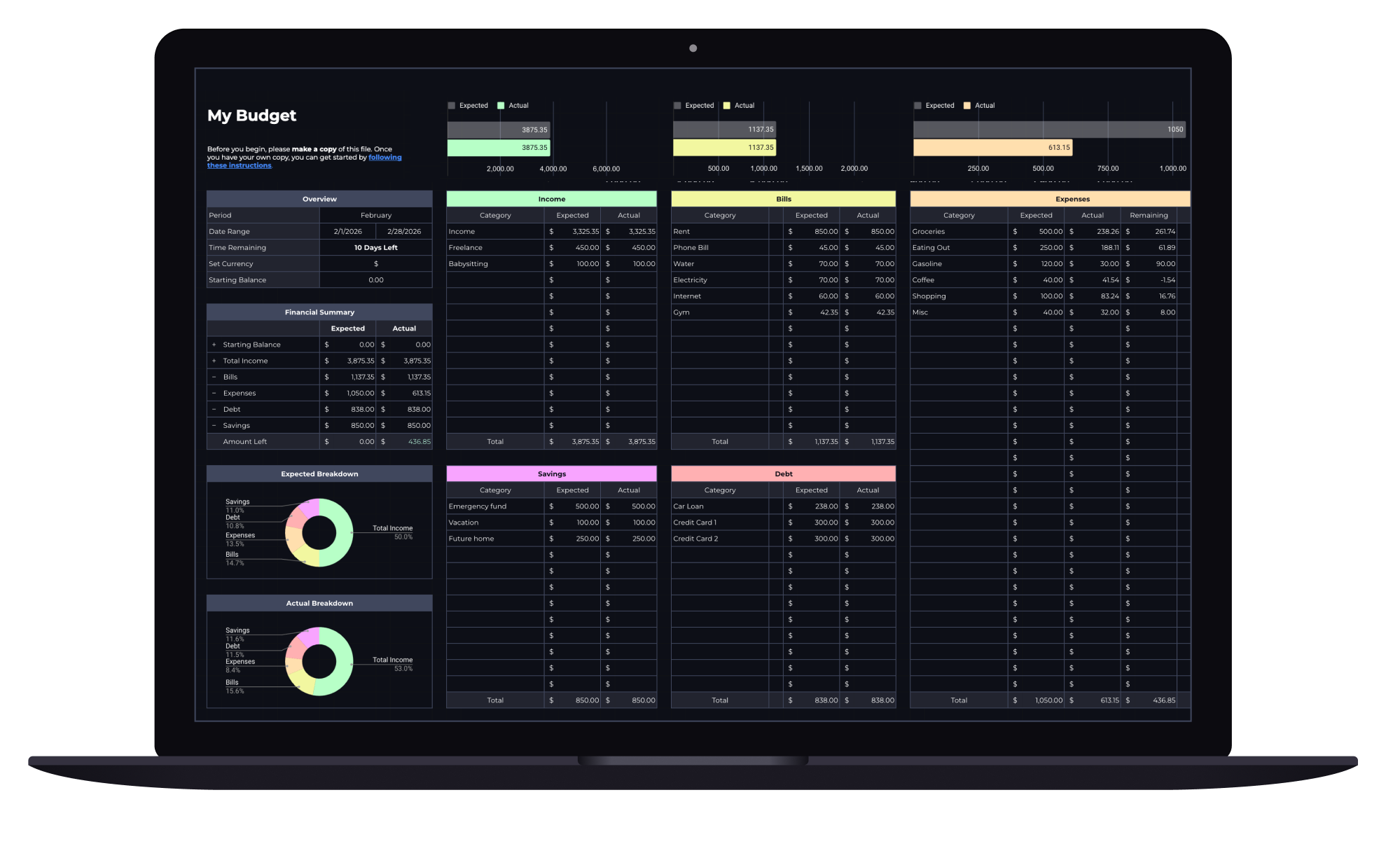
Budget Spreadsheet
Track your income and daily expenses with real-time progress indicators that show exactly where you stand each month. Works with Google Sheets and Microsoft Excel.
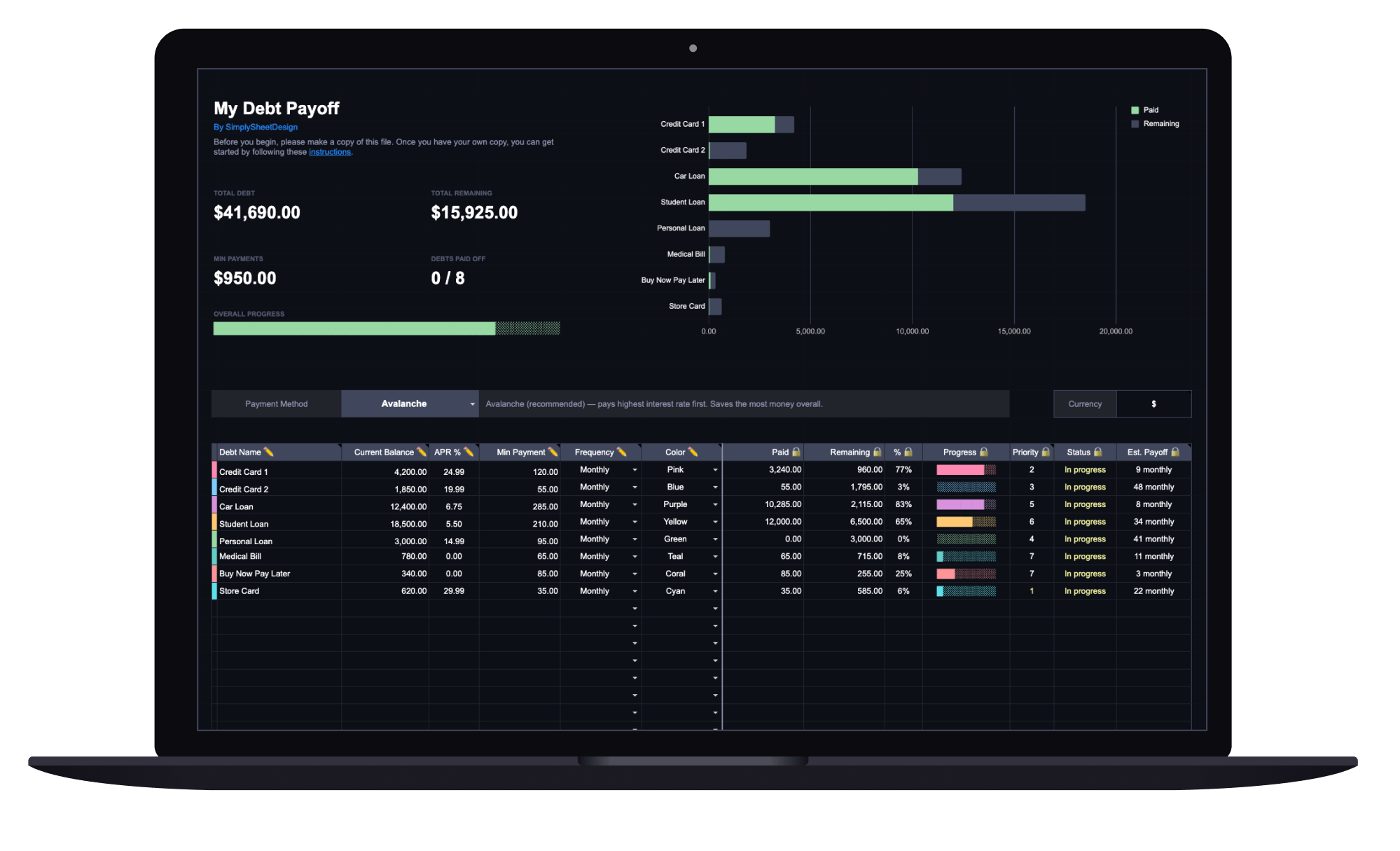
Debt Payoff Tracker
See your total debt, log payments, and watch your balances drop month by month with clear visual progress. Track credit cards, loans, and any other debt.
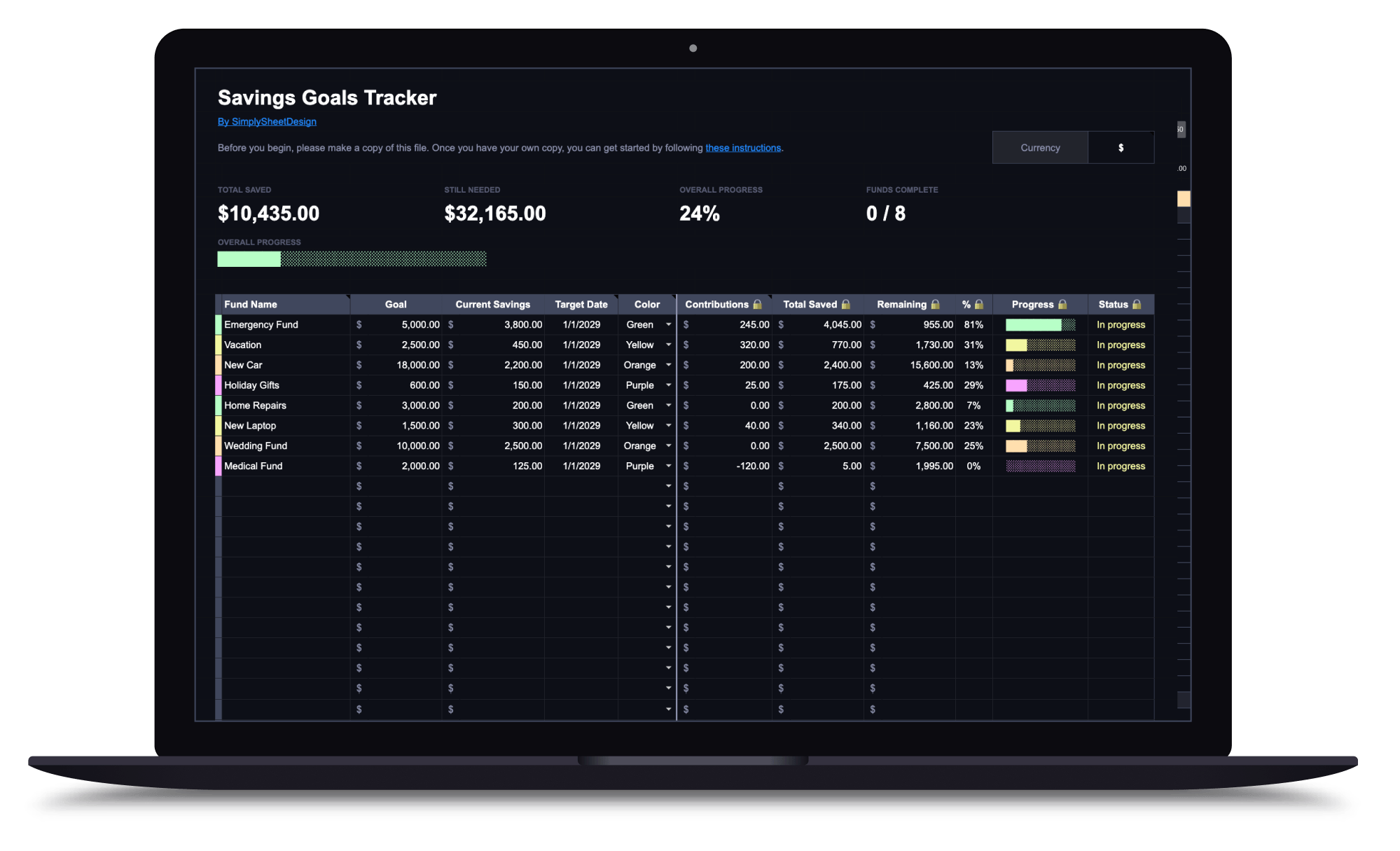
Savings Goals Tracker
Set multiple savings goals, track contributions, and watch your progress toward each one. Perfect for emergency funds, sinking funds, and any savings target.