
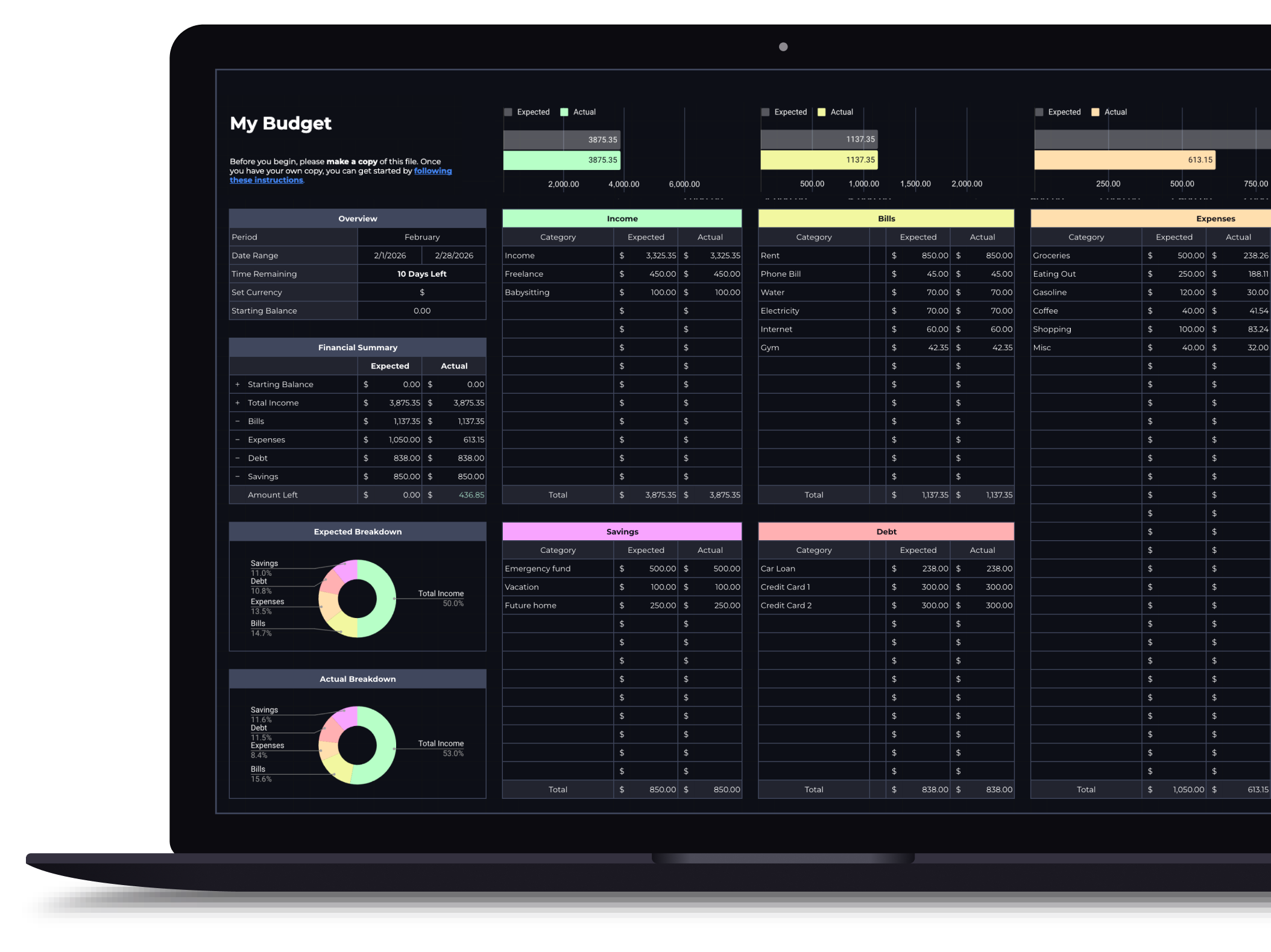
Budget Spreadsheet for Google Sheets & Excel
Track your income and daily expenses with real-time progress indicators that show exactly where you stand each month. Works with Google Sheets and Microsoft Excel.
$14.99
Get this template on EtsyWhat's included
- Monthly income and expense tracking with category breakdowns
- Real-time progress bars that update as you log spending
- Daily expense log with automatic categorization
- Monthly overview dashboard with visual spending trends
- Pre-built budget categories you can customize
- Works with both Google Sheets and Microsoft Excel
How it works
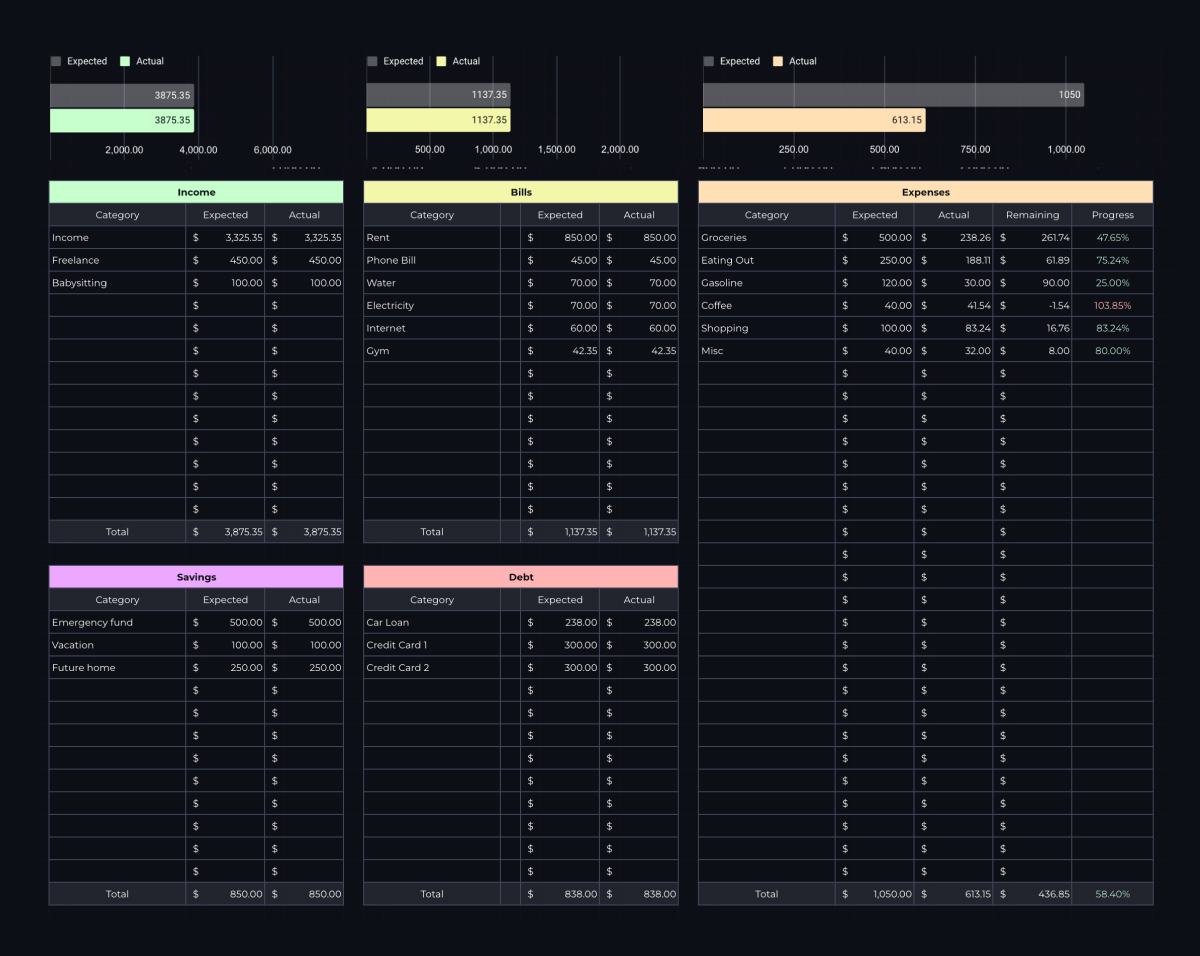
You set a budget period and date range, define your currency, and add categories for five sections: Income, Bills, Expenses, Debt, and Savings. For each category, you enter an expected amount: what you plan to spend or receive. As the month progresses, actual amounts update automatically based on your logged transactions.
The expense tracker
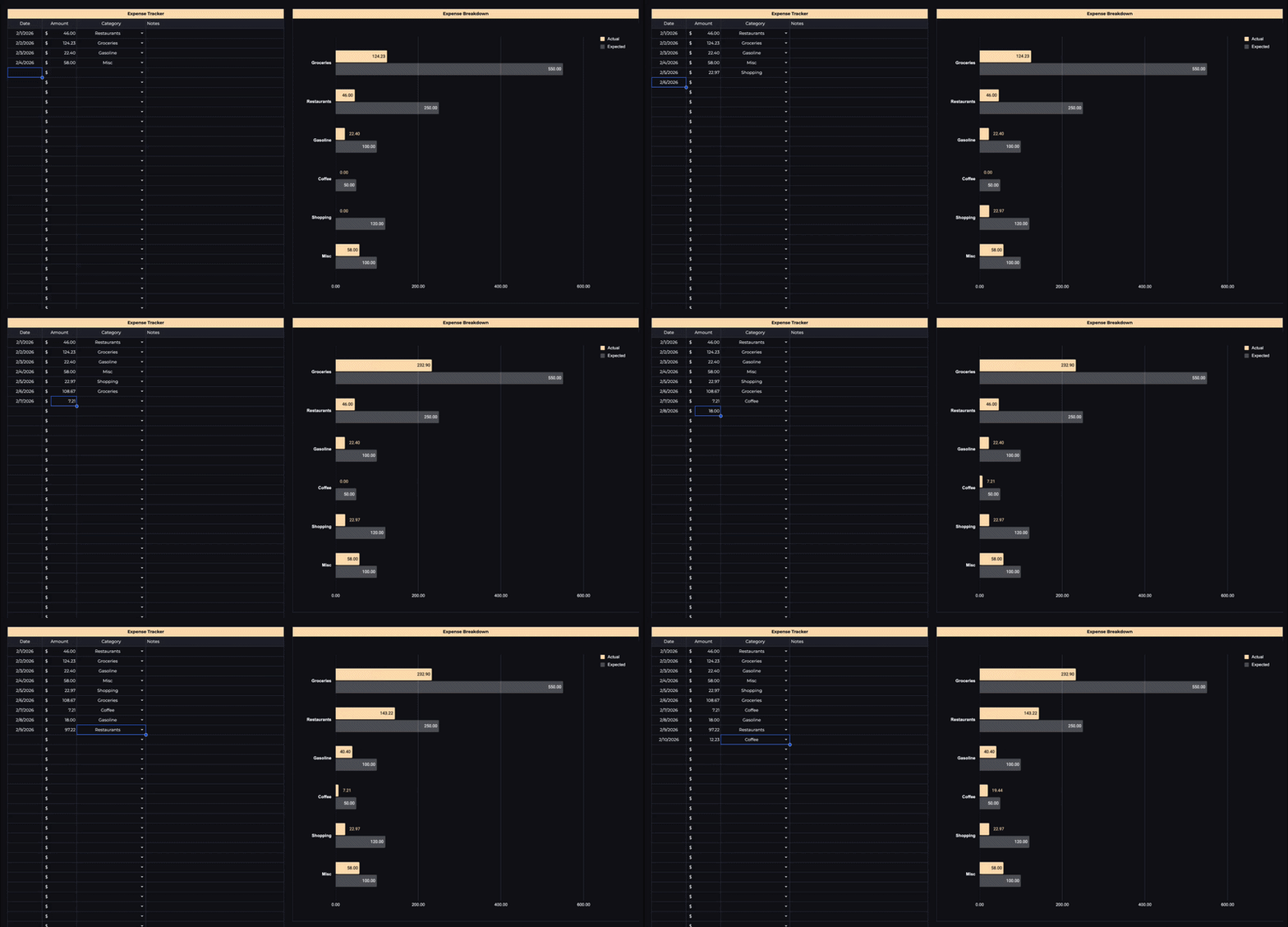
At the bottom of the sheet is a daily expense log. Each entry takes four fields: amount, category (auto-populated from your setup), date, and an optional note. As you log expenses, the actual column in your budget updates in real time, with no manual totaling required.
What you'll see
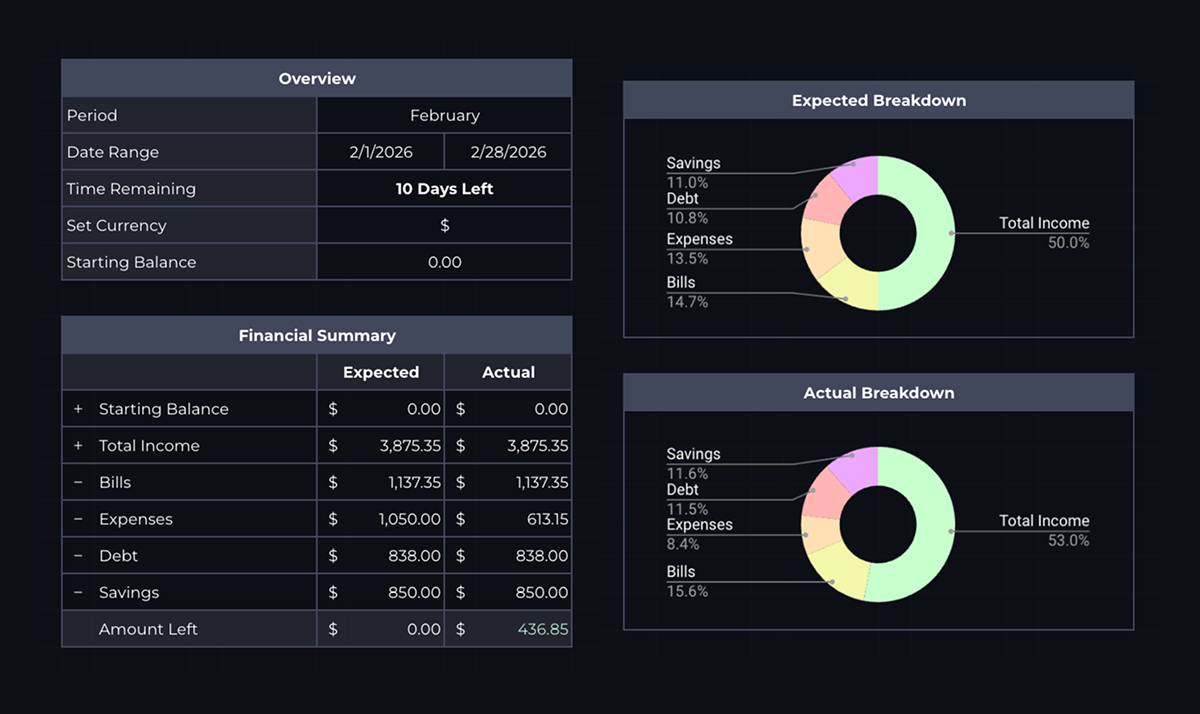
Each budget section has progress bars that fill as you spend. At any point during the month, you can see exactly how much of each category you've used and how much is left. The overview section shows time remaining in your budget period, total income vs. total spending, and the net difference.
Built-in categories
The template comes pre-filled with common categories (salary, rent, utilities, groceries, dining out, credit cards, emergency fund), but every category is fully editable. Add, rename, or remove any row to match your actual spending.
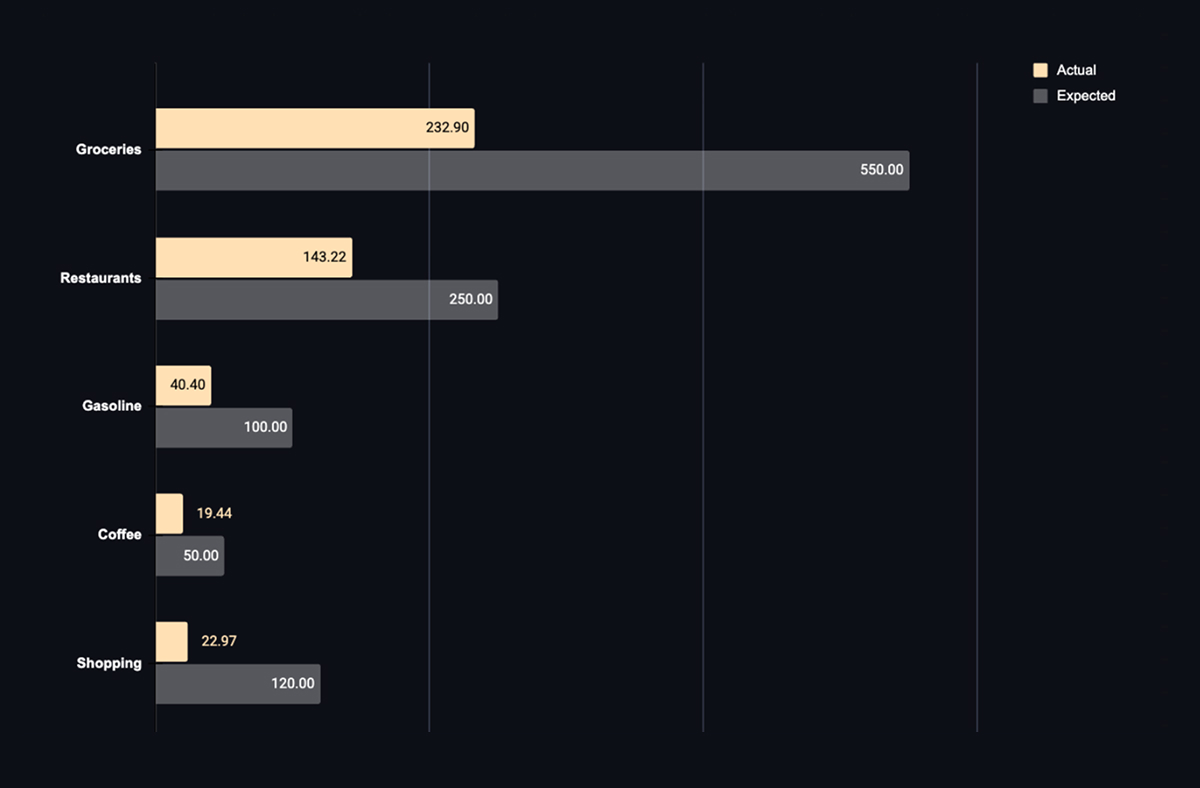
Available in dark and light themes
Both themes are functionally identical. Use the toggle above to switch between them and pick the one you prefer.
Who this budget spreadsheet is for
This is a manual budget, and that is the whole design. You type in what you spent, and the sheet does the arithmetic. Nothing connects to your bank, nothing categorizes transactions for you, and nothing happens unless you sit down and enter it.
That trade is the point rather than a limitation. Apps that sync automatically are better at record keeping and worse at changing behaviour, because the entering is what makes you notice. If what you want is a tidy history of money that already left, an app will beat this. If you want to spend differently next month, the friction is doing the work. That distinction is worth understanding before you buy, and awareness versus automation covers it properly.
It suits one person with a reasonably regular income. Two people sharing money will outgrow it quickly, since there is nowhere to record who spent what, and the couples budget spreadsheet exists for that.
What you need before you start
You need a rough idea of what you currently spend, not a perfect one. The template asks for an expected amount per category, and the expected amounts are where most first budgets go wrong: people fill them in with what they wish they spent, then abandon the sheet in week three when reality disagrees.
If you have never tracked before, the honest move is to spend a few weeks recording expenses without budgeting at all, then set your expected amounts from what you actually find. That is slower and it works far better. Tracking expenses before budgeting makes the case, and the expense tracking readiness check will tell you which of the two you should be doing right now.
You also need your fixed costs to hand: rent or mortgage, utilities, insurance, subscriptions, loan payments. Those go in Bills and barely change, which makes them the easiest part of the sheet and the part worth getting exactly right.
Using it in Google Sheets or Excel
The two versions are functionally identical, so pick based on where you will actually open it.
Google Sheets syncs to your phone without any thought, and that matters more than it sounds. A manual budget only works if entries go in near the moment you spend, and the version you can open at the counter is the version that stays honest. Excel is the better choice if you already work in it daily, or if you would rather the file lived on your machine than in a Google account.
Make your own copy before you enter anything, whichever you choose. Working in the original leaves you nothing to fall back on when a formula gets pasted over, and it will get pasted over eventually.
Setting your expected amounts
The five sections are Income, Bills, Expenses, Debt, and Savings. Bills and Debt are close to fixed. Income is usually knowable. Expenses is the section that decides whether the budget holds.
Groceries, dining, and the general miscellaneous category are where estimates drift, because they are the ones made of many small decisions rather than one monthly commitment. Set them slightly higher than feels right on the first month. A category you breach in the second week stops being a target and becomes a thing you avoid looking at.
If you want a starting framework rather than a blank sheet, the 50/30/20 split is a reasonable default to build from: half to needs, thirty percent to wants, twenty to savings and debt. The 50/30/20 calculator turns your income into those three numbers, and the rule explained covers where it holds up and where it does not. Treat it as a first draft. Rent above about a third of take-home breaks the maths, and pretending otherwise just moves the problem into another category.
Logging expenses without giving up
Four fields per entry: amount, category, date, optional note. The actual column updates as you go, and the progress bars fill against the expected amounts you set.
The realistic cadence is once a day, not once per purchase. Thirty seconds in the evening covers everything, and it survives a busy week in a way that per-transaction logging does not. Reconstructing a whole month from bank statements on the last day is the version that fails, because by then the numbers are history and the point was to change the decisions while they were still ahead of you.
You will miss days. Missing days is fine and normal, and tracking without burning out is about exactly that. Catching up on Sunday for the week is far better than a perfect system you quit.
When the numbers are not the real problem
A budget shows you the gap. It does not close it, and it is worth being clear about which one you have.
If you overspend the same category every month by roughly the same amount, that is not a discipline failure, it is an expected amount set wrong. Change the number. If the total is short no matter how you distribute it, no arrangement of categories fixes that, and the work is upstream of the sheet: where the money is actually going is the first place to look, and why most budgets fail covers the more common reasons a sheet like this gets abandoned in month two.
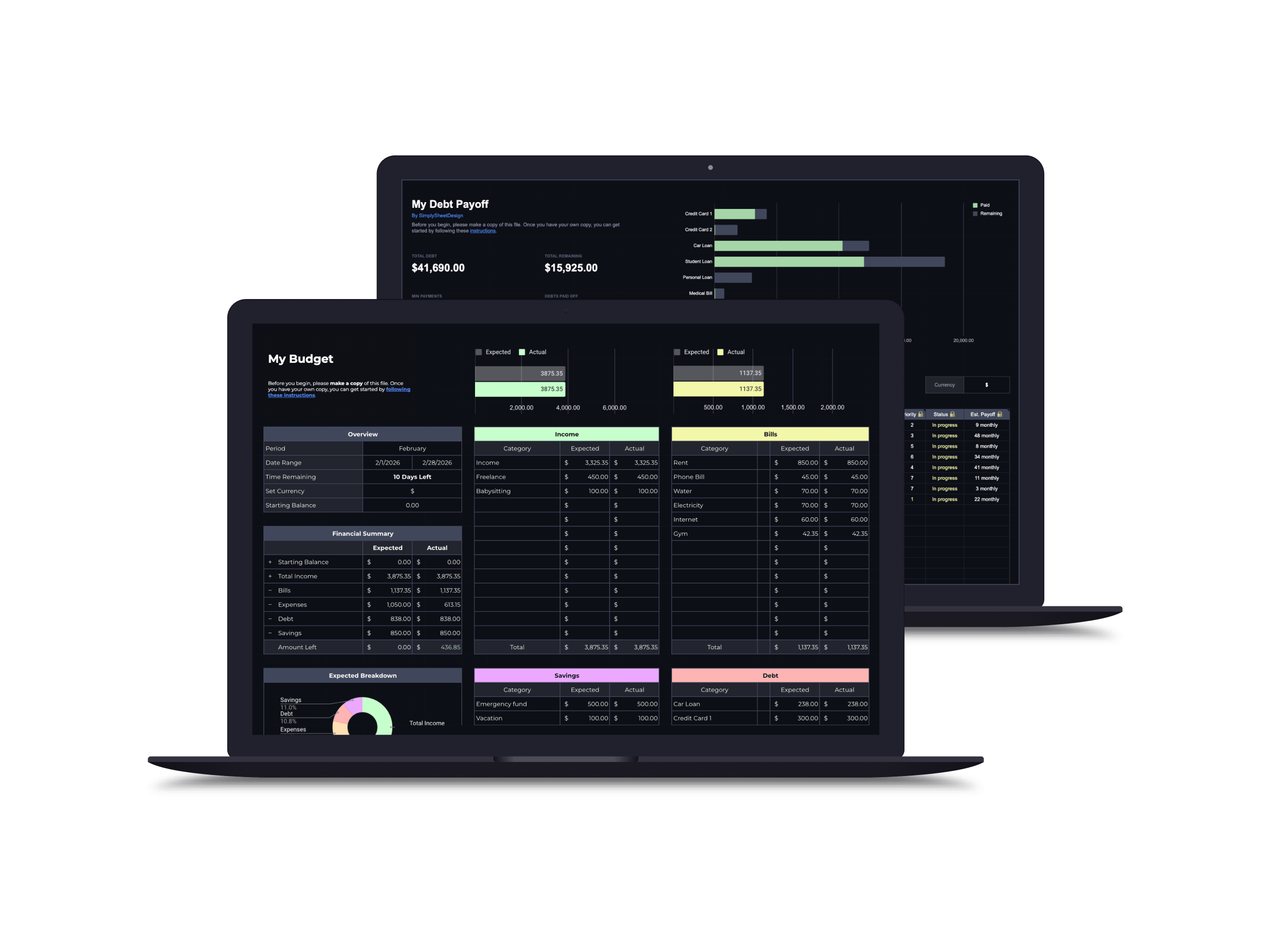
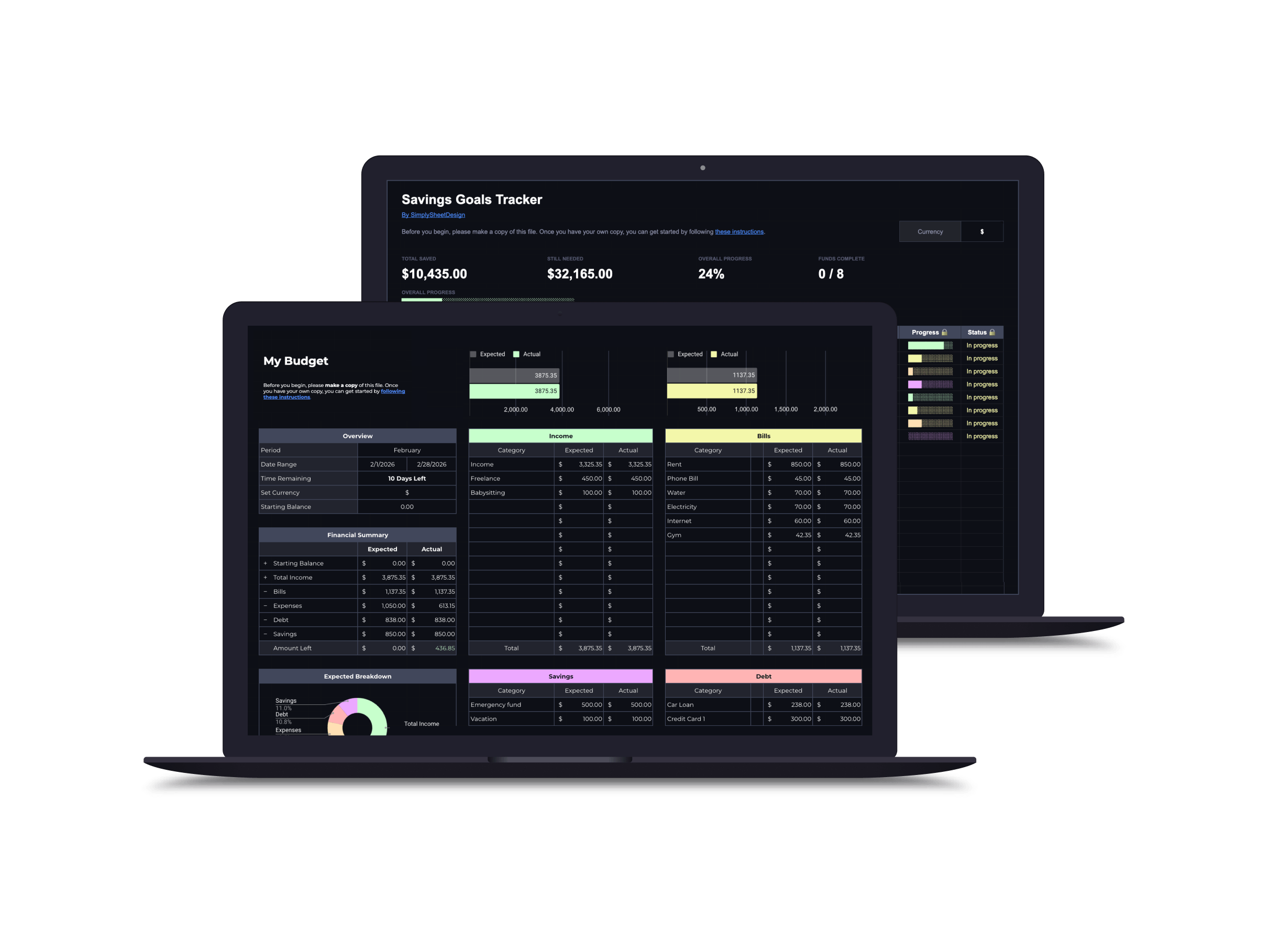
Two things pair naturally with this one. If a chunk of your income goes to balances, the debt payoff tracker handles the payoff order and projected dates that a budget’s Debt section deliberately does not. If your savings line is really several goals stacked together, the savings goals tracker splits them apart so the holiday fund and the emergency fund stop competing for one number. And if you are not sure a detailed monthly sheet suits how you think about money at all, the budgeting style quiz is five minutes and may point you somewhere simpler.
Save with a bundle
Overall, exactly what I was looking for. The fact it came in both google sheets and excel was great, the instructions were clear, and the fact that it was set as a dark mode was good. All the features I wanted with none of the complicated or bloated functionality
MelissaVery helpful. Will be using this forever
CameronThis budget template was exactly what I was looking for, it contains everything I need and no extra clutter.
Etsy buyerGreat product to use to balance the budget.
MarloriePerfect for what I needed without being overwhelming. The instructions were very helpful. Seeing my income, expenses, etc. into percentages is great. I am trying to figure out which percentage style (50-30-20, etc.) works best for me, and this gives a great visual guide. I recommend for anyone seeking to jumpstart on taking their finances seriously!
Brianna10/10 would purchase again. This is amazing for tracking budget.
KevinExcellent product and wonderful customer service.
DanielleVisually appealing and incredibly useful.
KellyHighly recommend this budget spreadsheet. It's super affordable (one time purchase with free updates!!), easy to use, stylish, and comes with everything you need to start budgeting. Best part: incredible customer service! When I messaged Ryan asking for a specific thing I needed my Excel worksheet, he created it and send it to me (for free!). He is so nice and always ready to help. When I had questions, he got back to me right away. If I can give it 10 stars, I would. Highly recommend!
AnastasiaGreat product and easy to use
Etsy buyerAwesome product! Was recommended this from a friend and it did not disappoint! Try it! You're going to love it!
MatthewThis budget is super helpful as is, and after messaging the shop, they even added a few extra fields that will really help my mom when using this. Overall amazing product and experience!
ScottieAmazing resource! I love the visuals, it has great instructions and is easy to use. Ryan was so helpful when I wanted to add something. Definitely worth it!
MarissaRelated articles
Frequently asked questions
Does this work with Google Sheets and Excel?
Yes. You get both versions: a Google Sheets file you can copy directly into your Drive, and an Excel (.xlsx) file you can download and use offline.
Can I customize the budget categories?
Absolutely. The template comes with common categories pre-filled, but you can rename, add, or remove any category to match how you actually spend.
How is this different from a budgeting app?
You own your data, with no subscriptions, no ads, no company shutting down. Spreadsheets give you full control and visibility into every formula and calculation.
Do I need to know how to use spreadsheets?
No. The template is ready to use out of the box. Just enter your income and start logging expenses. The formulas and progress bars handle everything else.
More spreadsheets
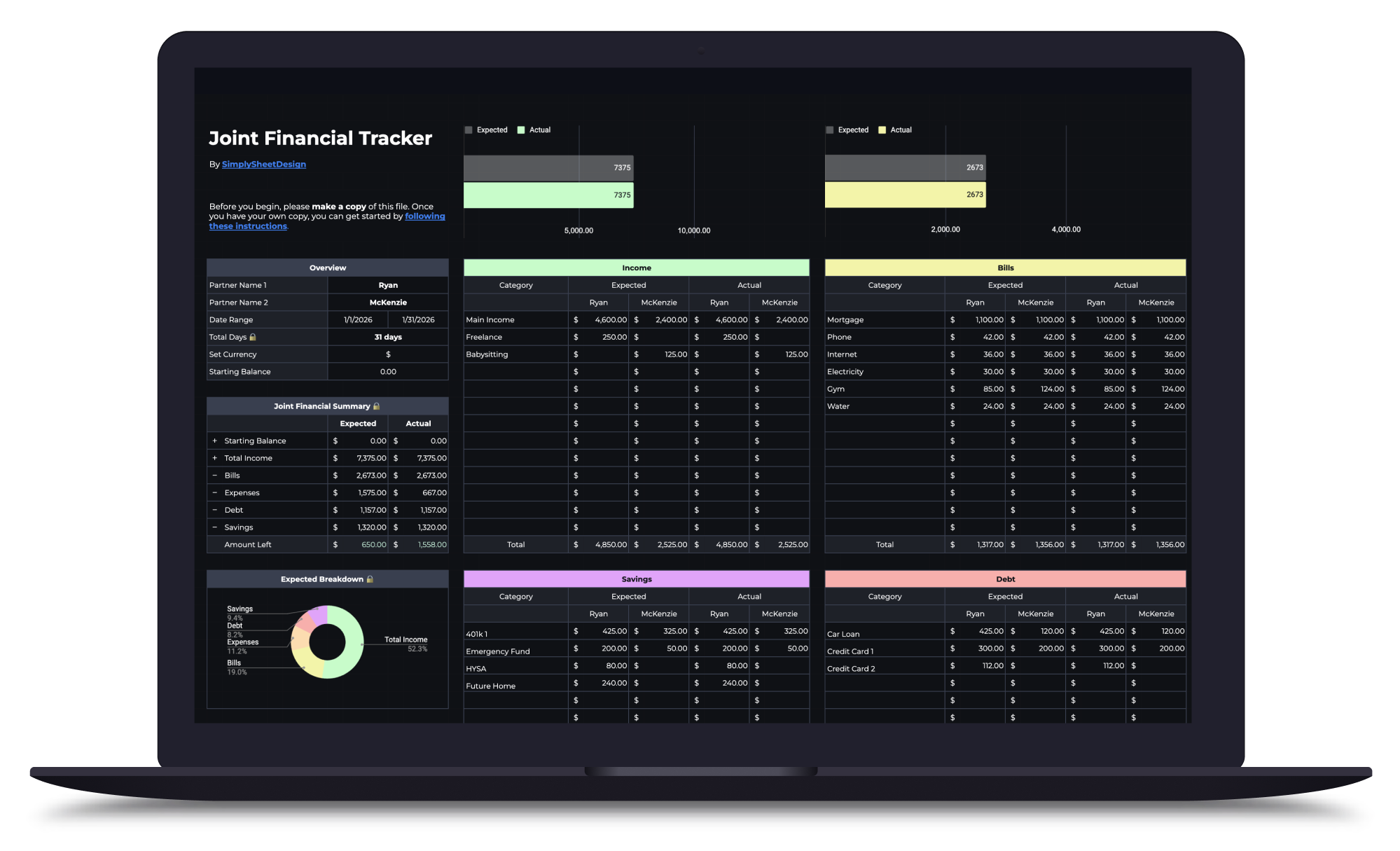
Couples Budget Spreadsheet
Split bills, track shared and personal expenses, and manage savings together. Built for two incomes, one shared financial picture.
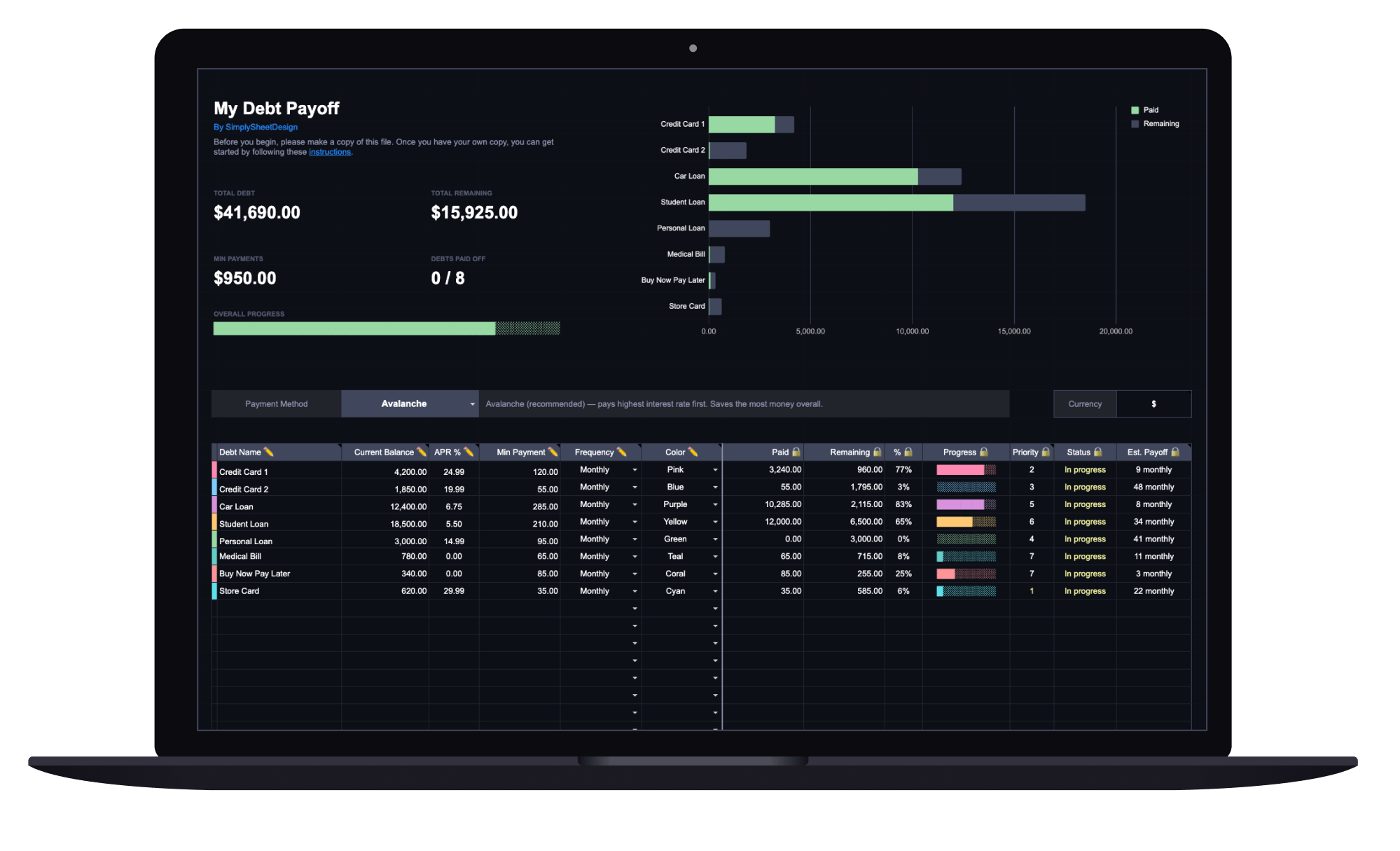
Debt Payoff Tracker
See your total debt, log payments, and watch your balances drop month by month with clear visual progress. Track credit cards, loans, and any other debt.
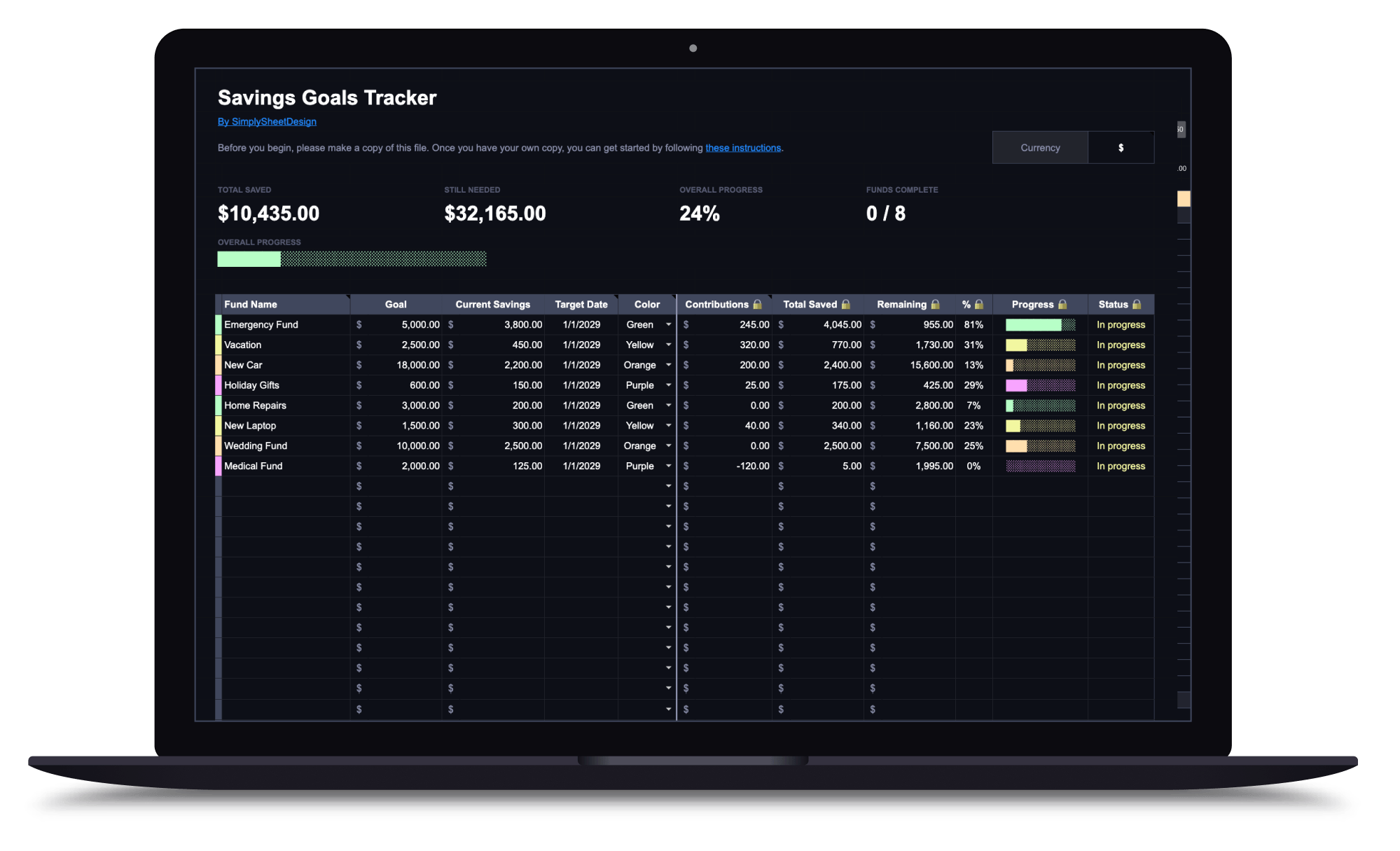
Savings Goals Tracker
Set multiple savings goals, track contributions, and watch your progress toward each one. Perfect for emergency funds, sinking funds, and any savings target.