How to Track Expenses Without Burning Out

Listen to this article
Tracking expenses was one of the most valuable financial habits I ever built. Not because it instantly fixed my finances, and not because it handed me the perfect budget. It showed me exactly where my money was going.
The spreadsheet was never the hard part. Anyone can build a sheet with a date column and an amount column in five minutes. The hard part was remembering every purchase and sticking with it long enough to actually learn something.
If you’ve ever started tracking expenses only to quit a week later, you’re not alone. Most people don’t stop because expense tracking is complicated. They stop because it quietly turns into a chore, and chores get skipped. Here’s the system that got me tracking consistently, including what I do on the days I don’t feel like it at all.
Why do most people quit tracking expenses within a few weeks?
Almost never because the spreadsheet itself is too hard. It’s because the system asks for more than people can realistically keep up with: too many categories, logging every purchase the second it happens, or an all-or-nothing mindset where one missed day feels like a failed attempt.
Burnout shows up as a gap first: a day you forgot to log, then three. What happens next is what determines whether tracking sticks. Treat the gap as data you’ll catch up on later, and the habit survives. Treat it as proof the system doesn’t work, and it’s over. The rest of this comes down to keeping the system light enough that gaps stay small and easy to close.
How many expense categories do you actually need?
Far fewer than you’d think. When you’re just starting out, you don’t need a category for every kind of purchase. You need enough to see your spending patterns, not enough to run an accounting department.
A simple starting set looks like:
- Groceries
- Restaurants
- Gasoline
- Coffee
- Shopping
- Miscellaneous
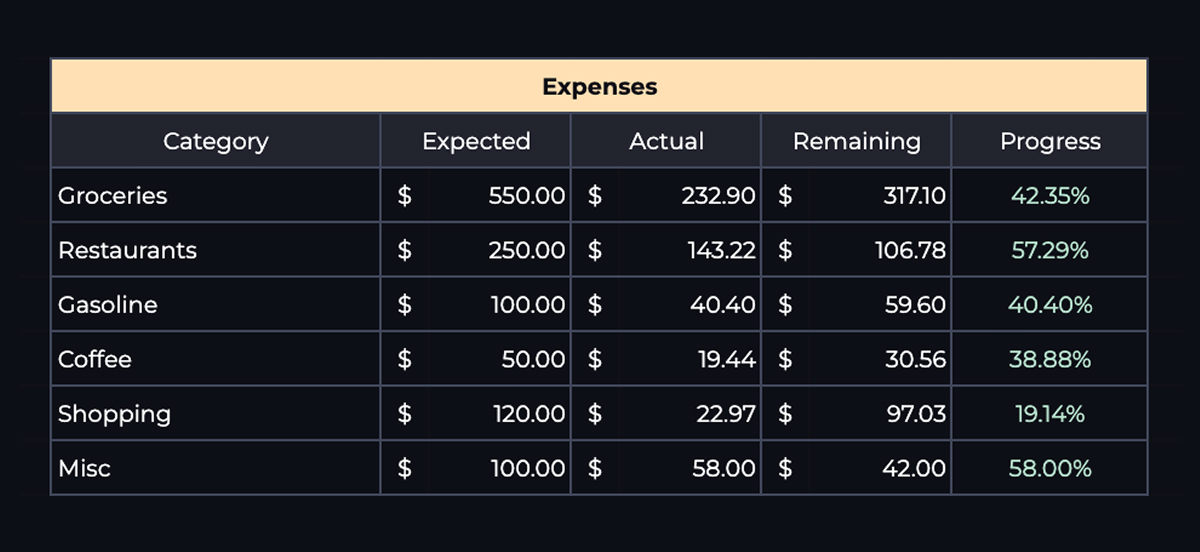
Five categories works for some people, ten works for others. The exact number matters less than keeping the list short enough that categorizing an expense takes a second, not a decision. Why most budgets fail covers this same failure point from the other direction: systems that ask too much of you are the ones that get abandoned first.
What should you track during your first month?
Everything, for one full month: coffee, groceries, online orders, fast food, subscriptions, gas, all of it. This first month isn’t about judging your spending. It’s about collecting information you don’t have yet.
By the end of it, you’ll know where your money actually goes, which categories eat the biggest share of your income, and where cutting back would actually move the needle. Most people build a budget before they understand their spending. Tracking first means your budget is based on reality instead of a guess.
For the full case on why this order matters, and what to do with the data once you have it, see Track Your Expenses for 30 Days Before You Build a Budget.
What’s the easiest way to remember every purchase?
This was the actual breakthrough for me, and it has nothing to do with willpower. The hardest part of expense tracking was never entering a number into a spreadsheet. It was remembering the purchase happened at all.
I turned on transaction notifications for every checking account, debit card, and credit card I have. Every purchase creates a notification, and that notification sits there whether I deal with it right away or hours later. A coffee I grabbed on the way to work and immediately forgot about was still waiting for me on my phone that evening.
From there, I batch everything into one short session instead of updating my spreadsheet all day. I use my phone’s notification summary feature to have all my banking alerts delivered around 7 PM, then spend a few minutes reviewing them and logging what I spent. Where Is My Money Going? walks through this same daily-batching approach in more depth, including why five minutes a day beats a longer weekly session almost every time.
What should your expense tracking spreadsheet actually include?
At minimum, four columns: date, amount, category, and an optional note. That’s enough to log an expense in a few seconds.
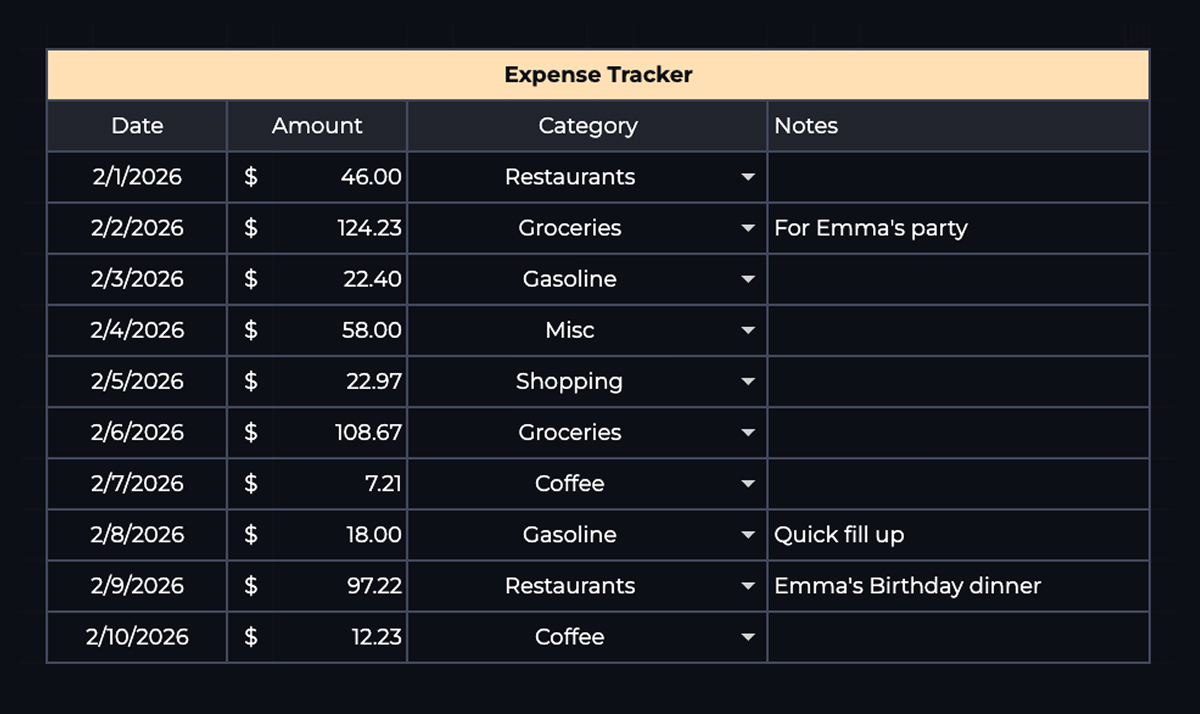
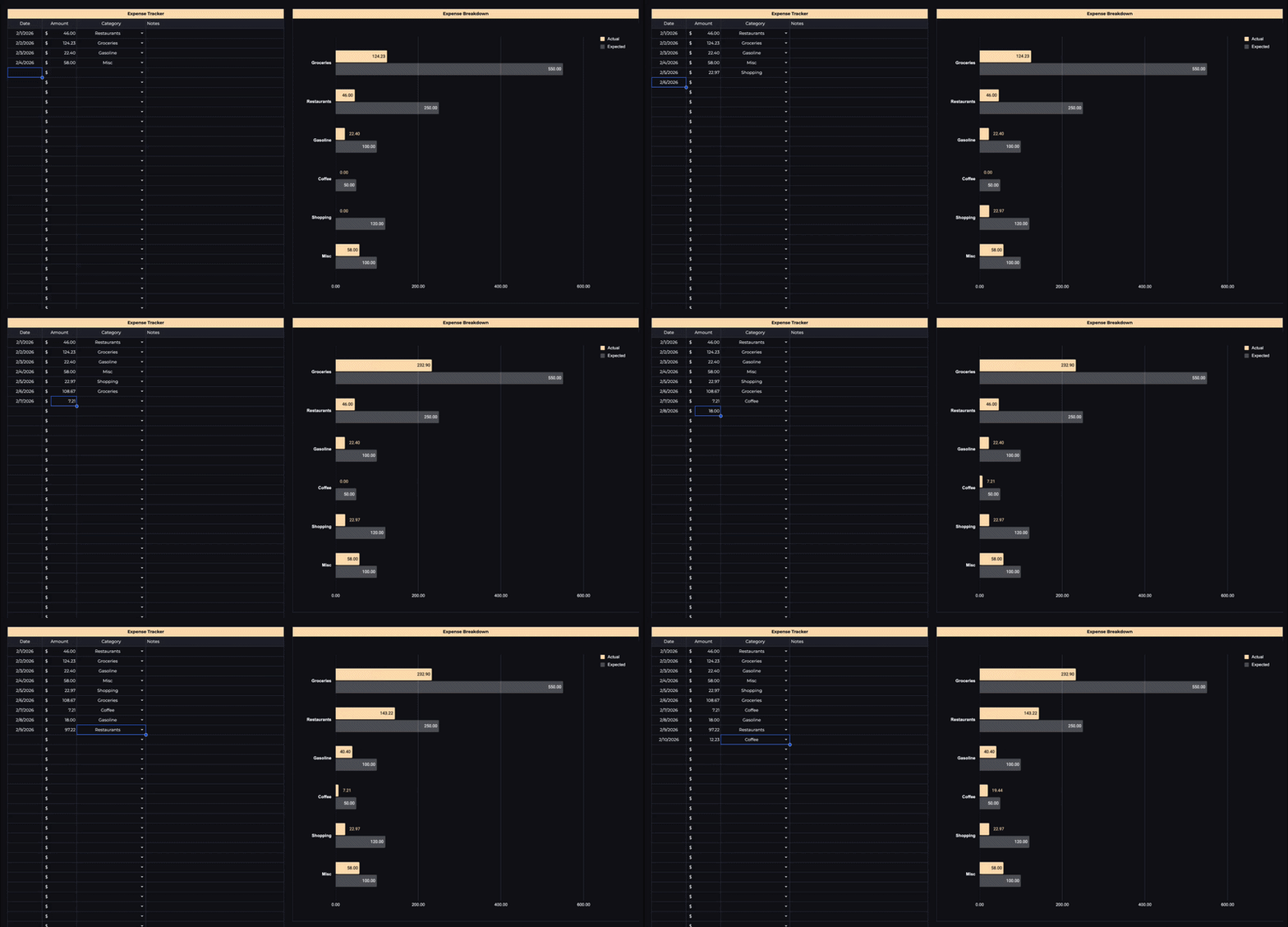
What the spreadsheet shouldn’t require is manual math. Every time you buy something, you shouldn’t have to recalculate totals, redraw a chart, or rebuild a summary by hand. That’s exactly the kind of extra step that turns a 10-second habit into a 5-minute one, and 5-minute habits are the ones that get skipped. A well-built sheet updates category totals, monthly spending, and trend charts automatically the moment you add a row.
That’s the reason I originally built my own budget spreadsheet. As I logged expenses, the totals and charts updated themselves, so the only thing left to do was the logging itself.
What do you do when you fall off track?
You get back on, without re-explaining yourself to anyone, including yourself.
A missed day, or even a missed week, doesn’t erase the weeks you did track. Open your bank or card app, scroll back through the transactions you missed, and log them in one pass. Most banks keep detailed transaction history going back months, so the data isn’t gone just because you didn’t write it down the day it happened.
What actually kills the habit isn’t the gap itself. It’s deciding the gap means the system failed, wiping your categories, and starting over from a blank sheet. You don’t need a fresh start. You need ten minutes to catch up and permission to keep going with a slightly imperfect month behind you.
What happened after I started tracking expenses
The most surprising thing wasn’t finding ways to spend less. It was seeing where my money was actually going. There were categories where I assumed I spent very little, and categories where I underestimated my spending by hundreds of dollars a month. Without tracking, I never would have known either one.
That’s why I still think expense tracking is one of the best financial habits for beginners. Before you worry about budgeting methods, savings goals, or investing, understand where your money goes. Everything else gets easier once you have that information.
Final thoughts
Expense tracking doesn’t have to be perfect. You don’t need dozens of categories, you don’t need to log purchases the second they happen, and you don’t need to spend hours updating a spreadsheet.
Keep your categories simple, track everything for one month, let notifications catch what you’d otherwise forget, review it once a day, and when you inevitably miss a day, catch up instead of quitting. That last part is what actually separates people who track expenses for a month from people who are still doing it a year later.
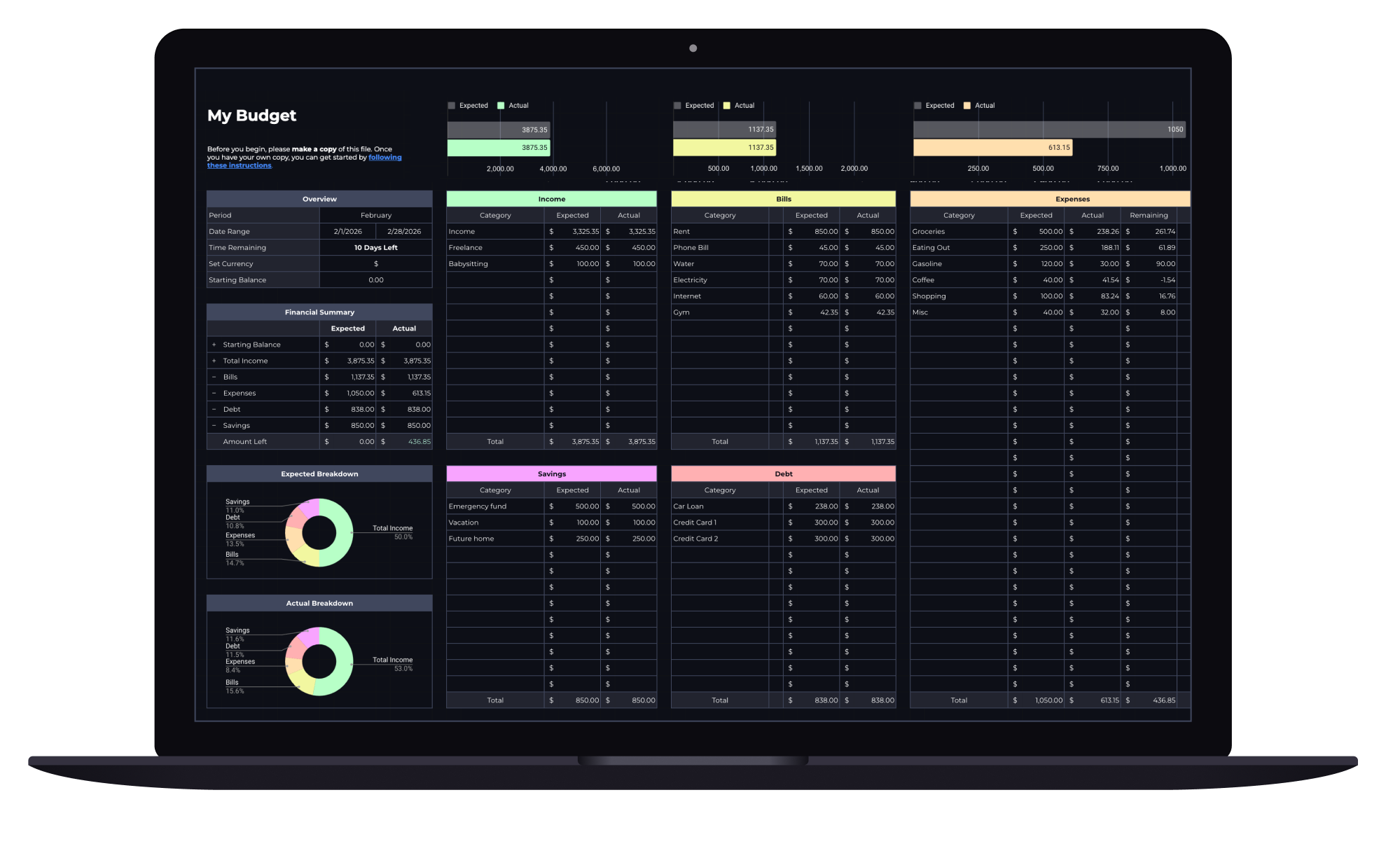
Built-in expense tracker
Budget Spreadsheet
Track your income and daily expenses with real-time progress indicators that show exactly where you stand each month. Works with Google Sheets and Microsoft Excel.