How to Calculate Monthly Income From a Biweekly, Weekly, or Semi-Monthly Paycheck

Listen to this article
Almost every budgeting method starts with the same question: what’s your monthly income? The 50/30/20 rule splits it into three buckets. A rent calculator compares it against your lease. A fair bill split between partners weighs one person’s against the other’s.
That question is easy if you’re paid once a month. For everyone else, it takes a small conversion, and the shortcut most people use gets it slightly wrong. If you’re paid every two weeks and multiply one paycheck by two, your “monthly income” is missing two full paychecks a year.
Here’s the right way to convert any pay schedule to a monthly number, why the shortcut misses, and which number to actually build a budget on.
The quick answer: go through the year, not the month
The reliable way to convert any paycheck to monthly income is to go through the year. Multiply one paycheck by the number of paychecks you get in a year, then divide by 12.
| Pay schedule | Paychecks per year | Monthly income formula | Shortcut multiplier |
|---|---|---|---|
| Weekly | 52 | Paycheck × 52 ÷ 12 | × 4.33 |
| Biweekly (every two weeks) | 26 | Paycheck × 26 ÷ 12 | × 2.17 |
| Semi-monthly (twice a month) | 24 | Paycheck × 24 ÷ 12 | × 2 |
| Monthly | 12 | Paycheck × 12 ÷ 12 | × 1 |
The annual step matters because months aren’t a fixed number of weeks. A year is exactly 52 weeks (plus a day or two), so the annual total is the one number that doesn’t depend on which month you’re looking at. Divide that by 12 and you get a true monthly average.
How to calculate monthly income from a biweekly paycheck
Biweekly pay is the most common schedule in the U.S., and it’s the one where the shortcut does the most damage.
Say your take-home pay is $1,850 every other Friday:
- Multiply by 26 paychecks: $1,850 × 26 = $48,100 a year.
- Divide by 12 months: $48,100 ÷ 12 = $4,008.33 a month.
Now the shortcut: $1,850 × 2 = $3,700. That’s $308 a month lower than your real average, and $3,700 a year. In other words, doubling one paycheck quietly leaves out exactly two paychecks.
Those two paychecks don’t disappear. Because 26 doesn’t divide evenly into 12, they show up as two months a year that contain three paydays instead of two. If you budget on $3,700, those months feel like a windfall. That’s a perfectly good strategy, as long as you know it’s what you’re doing. How to budget on a biweekly paycheck covers how to plan around those three-paycheck months in advance, and the biweekly paycheck calculator shows your typical month, your extra-paycheck months, and your true average side by side.
How to convert weekly pay to monthly income
Weekly pay has the same trap with a bigger multiplier. Most people multiply by four, because a month feels like four weeks. It isn’t. Only February (outside a leap year) is exactly four weeks long; every other month runs a few days over.
At $925 a week take-home:
- $925 × 52 = $48,100 a year.
- $48,100 ÷ 12 = $4,008.33 a month.
The four-week shortcut gives $3,700, missing four paychecks a year. Those four surface as months with five paydays. The weekly paycheck calculator shows which is which.
How to calculate monthly income from semi-monthly pay
Semi-monthly pay is the easy one. You’re paid twice a month on fixed dates, usually the 15th and the last day of the month, or the 1st and the 16th. That’s 24 paychecks a year, and exactly two in every month.
So the shortcut is also the right answer. On the same $48,100 a year, each semi-monthly paycheck is $48,100 ÷ 24 = $2,004.17, and two of them make $4,008.33 a month. Start from your own paycheck and it’s simply:
- Paycheck × 2 = monthly income.
- Paycheck × 24 = annual income.
There’s no extra-paycheck month to plan around and nothing to average. The semi-monthly paycheck calculator confirms your monthly and annual totals.
Same salary, three different paychecks
Notice that every example above lands on the same $48,100 a year and the same $4,008.33 a month. That’s deliberate. Weekly, biweekly, and semi-monthly schedules are just different ways of cutting up the same annual pay:
| Schedule | Each paycheck | Paychecks a year | Monthly average |
|---|---|---|---|
| Weekly | $925.00 | 52 | $4,008.33 |
| Biweekly | $1,850.00 | 26 | $4,008.33 |
| Semi-monthly | $2,004.17 | 24 | $4,008.33 |
This is why a semi-monthly paycheck looks bigger than a biweekly one on the same salary. The money is the same; it’s arriving in fewer, larger pieces. It’s also why comparing two job offers by paycheck size alone can mislead you. Compare the annual figure instead.
Try the calculator
Choose your pay schedule, enter your take-home pay for one paycheck, and the calculator does the conversion. The average monthly income at the top is the number to use in a monthly budget. For weekly and biweekly pay, it also shows your typical month, your extra-paycheck month, and the buffer that keeps the two consistent.
Use your average paycheck if your income varies.
Use this number when creating a monthly budget.
| Period | Count | Amount |
|---|---|---|
| Typical Month | 2 | $0 |
| 3-Paycheck Month | 3 | $0 |
| Monthly Buffer NeededIf you want your budget to stay consistent year-round, set aside this amount during months with an extra paycheck. | – | $0 |
| Per Year | 26 | $0 |
Gross or net: which monthly income do you need?
The same conversion works on either number, but the two answer different questions.
Gross monthly income is your pay before anything is withheld. It’s what a landlord, a mortgage lender, or a credit card application usually asks for, and it’s what an annual salary quote means. If your offer letter says $60,000, your gross monthly income is $60,000 ÷ 12 = $5,000.
Net monthly income is your take-home pay: what actually lands in your account after taxes, retirement contributions, health insurance, and any other deductions. This is the number to budget on. A budget built on gross pay overstates every single month by the amount that was never yours to spend, and the gap is often 20% to 30%.
The easiest way to get your net figure is to skip the tax math entirely. Look at the deposit amount on a recent paystub or bank statement and run that through the conversion above.
How to calculate monthly income from an hourly wage
If you’re paid hourly, add one step at the start. Multiply your rate by the hours in a typical week to get weekly pay, then continue as usual.
At $22 an hour and 40 hours a week:
- $22 × 40 = $880 a week.
- $880 × 52 = $45,760 a year.
- $45,760 ÷ 12 = $3,813.33 a month, before taxes.
If your hours change from week to week, use an average of the last two or three months rather than a typical-looking week, and treat the result as a baseline instead of a promise. Budgeting with irregular income goes further into building a budget on pay that moves around.
Should you budget on the average or on a typical month?
Once you have the numbers, there’s a real choice to make for weekly and biweekly pay. Neither option is wrong. They suit different habits.
Budgeting on the average ($4,008 in the example) spreads the extra paychecks evenly across the year. Every month gets the same spending plan. The catch is that most months actually bring in less than that average, so it only works if you keep a cash buffer to cover the shortfall until an extra-paycheck month refills it. The calculator’s buffer row shows how much that is.
Budgeting on a typical month ($3,700) is more conservative. Your regular bills and spending fit inside two paychecks, and the extra paychecks arrive with no job attached. That makes them easy to aim at an emergency fund, extra debt payments, or sinking funds for annual costs that would otherwise land all at once.
If you’re starting a budget from scratch, the typical-month approach is the harder one to break. You can always move to the average once you have a buffer in place.
Plan around every payday
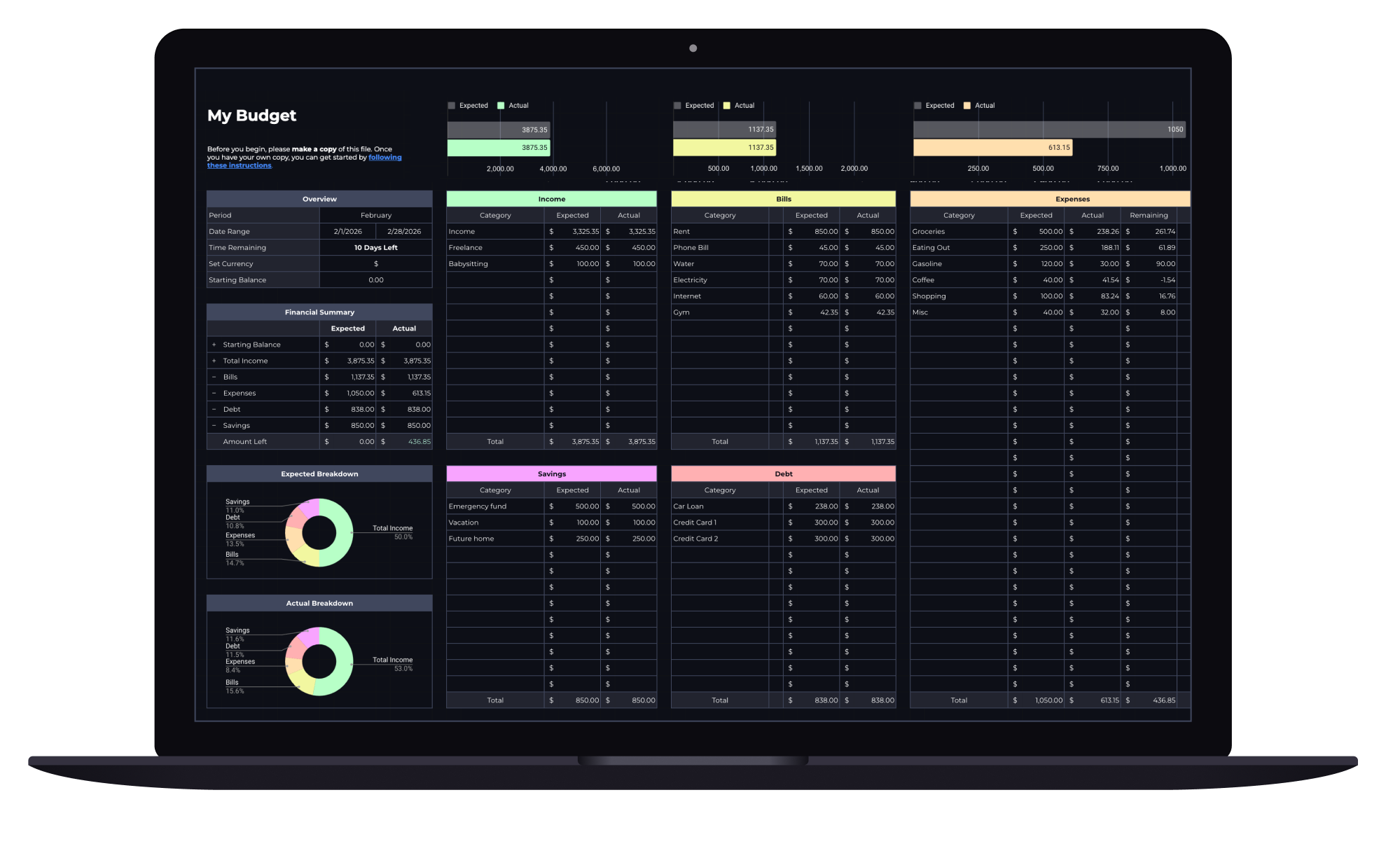
Budget Spreadsheet
Track your income and daily expenses with real-time progress indicators that show exactly where you stand each month. Works with Google Sheets and Microsoft Excel.
Converting the other way: monthly to biweekly or weekly
Sometimes you need the reverse, for example when a budget says you need $4,000 a month and you want to know what that means per paycheck, or when a salary is quoted as a monthly figure. Just run the same steps backward: multiply by 12, then divide by the number of paychecks.
- Monthly to biweekly: $4,000 × 12 ÷ 26 = $1,846.15 per paycheck.
- Monthly to weekly: $4,000 × 12 ÷ 52 = $923.08 per paycheck.
- Monthly to semi-monthly: $4,000 ÷ 2 = $2,000 per paycheck.
- Annual salary to monthly: divide by 12.
Once you have a monthly number you trust, put it somewhere you’ll see it every time you plan. A budget spreadsheet that starts from your real take-home pay keeps every category you plan downstream of that number honest, and it’s much easier to update in one place when you get a raise or change jobs.
The conversion itself takes about thirty seconds. Go through the year, not the month, use take-home pay, and decide on purpose whether your budget runs on the average or the typical month. Everything else in your budget is built on that one number, so it’s worth getting it exactly right.